Business
PC
Windows 10 version 14316.0 or higher
English (United States)
If you're searching for a straightforward way to keep track of your finances without the clutter of overly complex features, Checkbook Manager for Windows offers a clean, user-friendly solution. Developed by White Beach, this app aims to simplify personal expense management while providing essential functionalities to stay on top of your financial health.
Checkbook Manager shines primarily with its intuitive interface and fundamental features tailored for daily budgeting needs. Highlighted features include quick transaction logging, comprehensive account management, and seamless reporting tools. Its focus on simplicity makes it accessible for users of all levels, from novices to those with some financial tracking experience.
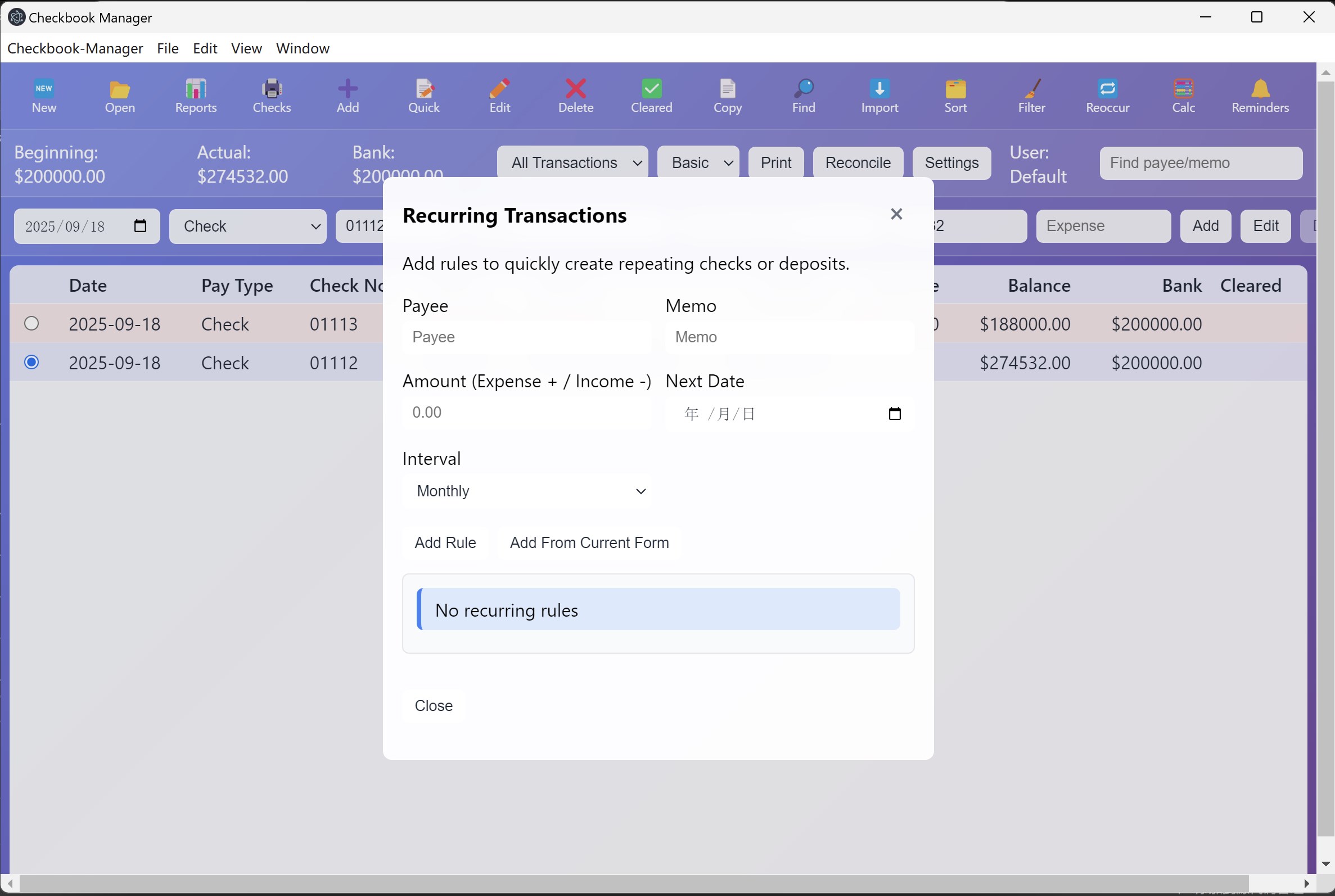
Right from the first launch, Checkbook Manager greets you with a clear, organized dashboard that feels like flipping through a well-kept ledger—nothing intimidating, just straightforward. The interface employs a calm, modern aesthetic with well-placed buttons that guide you naturally through transaction entries and account views. For new users, the learning curve is gentle; basic functionalities are immediately accessible, while more advanced features are logically nested, allowing gradual mastery without overwhelm.
Imagine having a digital checkbook at your fingertips—this app lets you record income, expenses, and transfers with just a few clicks. The transaction form is simplified, with auto-fill options for common categories and quick-entry options that save time. This feature is particularly handy for everyday budgeting, providing real-time updates without fuss.
The app supports managing multiple bank accounts simultaneously, giving you a consolidated view of your financial landscape. You can easily switch between accounts, check balances, and analyze how each contributes to your overall financial picture. The visual reports—pie charts, bar graphs—make it easy to identify spending patterns and savings progress, turning raw data into actionable insights.
One of the app's standout qualities is its seamless synchronization with Windows's native look and feel, making it feel like a natural extension of your operating system. The smoothness of operations—quick load times, responsive input—ensures a pleasant user journey. Compared to more bloated financial apps, Checkbook Manager's minimalist design reduces cognitive load, helping you focus on what matters most: your money.
Where it truly distinguishes itself is in its collaborative work features. Unlike typical personal finance apps, Checkbook Manager offers options for sharing specific accounts or reports with family members or financial advisors, enabling real-time collaboration. This optional collaborative aspect is a refreshing twist that elevates it from a solo ledger to a shared financial tool, which can be invaluable for households or small teams managing joint budgets.
This application rides the line between simplicity and functionality beautifully. If your needs are straightforward—tracking daily expenses, managing a few bank accounts, and seeking easy-to-understand reports—Checkbook Manager is highly recommended. It offers an efficient, non-intimidating pathway to personal financial oversight, making money management less of a chore and more of an organized habit.
However, for users looking for more advanced features like detailed investment tracking, automated bill reminders, or integrations with other financial tools, this app may feel limiting. Still, for its target audience—those wanting a clean, effective, and collaborative checkbook management solution—Checkbook Manager stands out as a commendable choice.
In conclusion, I'd rate it as a solid tool for everyday financial tracking, especially suited for users who appreciate clarity, ease of use, and modernizing traditional ledger methods. Give it a try if you want a friendly, efficient assistant for your personal budgeting journey.
User-Friendly Interface
Comprehensive Budget Tracking
Automatic Bank Synchronization
Customizable Reports
Affordability and Accessibility
Limited Mobile Functionality
Basic Security Features
Learning Curve for Advanced Features
Occasional Sync Delays
Limited Customization Options for Reports

for Windows
 5
5

for Windows
5

for Windows
4.9

for Windows
4.9

for Windows
4.9

for Windows
4.9

for Windows
4.8

for Windows
4.8

for Windows
4.8
for Windows
4.8

for Windows
4.7

for Windows
4.7

for Windows
5

for Windows
5

for Windows
5

for Windows
5

for Windows
5

for Windows
5
for Windows
5

for Windows
5

for Windows
5

for Windows
5