Education
Cboard org
PC
Windows 10 version 0.0 or higher
Integrated Keyboard
Integrated Mouse
300 MB
English, English (Afghanistan), English (Åland Islands), English (Albania), English (Algeria), English (American Samoa), English (Andorra), English (Angola), English (Anguilla), English (Antarctica), English (Antigua and Barbuda), English (Armenia), English (Aruba), English (Australia and New Zealand), English (Australia), English (Azerbaijan), English (Bahamas), English (Bangladesh), English (Barbados), English (Belarus), English (Belize), English (Benin), English (Bermuda), English (Bhutan), English (Bolivia), English (Bonaire, Saint Eustatius and Saba), English (Bosnia and Herzegovina), English (Botswana), English (Bouvet Island), English (British Indian Ocean Territory), English (British Virgin Islands), English (Brunei), English (Bulgaria), English (Burkina Faso), English (Burundi), English (Cambodia), English (Cameroon), English (Canada), English (Cape Verde), English (Caribbean), English (Cayman Islands), English (Central African Republic), English (Chad), English (Christmas Island), English (Cocos (Keeling) Islands), English (Comoros), English (Congo (DRC)), English (Congo), English (Cook Islands), English (Côte d'Ivoire), English (Croatia), English (Curaçao), en-cz, English (Djibouti), English (Dominica), English (Dominican Republic), English (Eastern Africa), English (Equatorial Guinea), English (Eritrea), English (Estonia), English (Ethiopia), English (Falkland Islands), English (Faroe Islands), English (Fiji), English (French Guiana), English (French Polynesia), English (French Southern and Antarctic Lands), English (Gabon), English (Gambia), English (Georgia), English (Germany), English (Ghana), English (Gibraltar), en-gr, English (Greenland), English (Guadeloupe), English (Guam), English (Guernsey), English (Guinea-Bissau), English (Guinea), English (Guyana), English (Haiti), English (Heard Island and McDonald Islands), English (Honduras), English (Hong Kong SAR), en-hu, English (Iceland), English (India), English (Indonesia), English (Iraq), English (Ireland), English (Isle of Man), English (Israel), English (Jamaica), English (Jersey), English (Jordan), English (Kazakhstan), English (Kenya), English (Kiribati), English (Kyrgyzstan), English (Laos), English (Latvia), English (Lesotho), English (Liberia), English (Libya), English (Lithuania), English (Macao SAR), English (Macedonia, FYRO), English (Madagascar), English (Malawi), English (Malaysia), English (Maldives), English (Mali), English (Malta), English (Marshall Islands), English (Martinique), English (Mauritius), English (Mayotte), English (Micronesia), English (Moldova), English (Monaco), English (Mongolia), English (Montserrat), English (Mozambique), English (Myanmar), English (Namibia), English (Nauru), English (Nepal), English (Netherlands Antilles (Former)), English (Netherlands), English (New Caledonia), English (New Zealand), English (Nicaragua), English (Niger), English (Nigeria), English (Niue), English (Norfolk Island), English (Northern America), English (Northern Mariana Islands), English (Oman), English (Pakistan), English (Palau), English (Palestinian Authority), English (Papua New Guinea), English (Philippines), English (Pitcairn Islands), English (Puerto Rico), English (Qatar), English (Reunion), English (Romania), English (Rwanda), English (Saint Barthélemy), English (St Helena, Ascension, Tristan da Cunha), English (Saint Kitts and Nevis), English (Saint Lucia), English (Saint Martin (French Part)), English (Saint Pierre and Miquelon), English (Saint Vincent and the Grenadines), English (Samoa), English (San Marino), English (São Tomé and Príncipe), en-sa, English (Senegal), English (Seychelles), English (Sierra Leone), English (Singapore), English (Sint Maarten), English (Slovakia), English (Slovenia), English (Solomon Islands), English (Somalia), English (South Africa), English (South Georgia and the South Sandwich Islands), English (Southern Africa), English (Sri Lanka), English (Sudan), English (Suriname), English (Svalbard and Jan Mayen), English (Swaziland), English (Tajikistan), English (Tanzania), English (Thailand), English (Timor-Leste), English (Togo), English (Tokelau), English (Tonga), English (Trinidad and Tobago), English (Turkey), English (Turkmenistan), English (Turks and Caicos Islands), English (Tuvalu), English (U.S. Minor Outlying Islands), English (U.S. Virgin Islands), English (Uganda), en-ae, English (United Kingdom), English (United States), English (Uzbekistan), English (Vanuatu), English (Holy See (Vatican City)), English (Vietnam), English (Wallis and Futuna), English (Western Africa), English (Zambia), English (Zimbabwe)
Imagine having a trusty communication toolkit right on your Windows device, empowering users with speech impairments to express themselves effortlessly. That's exactly what Cboard AAC app aims to deliver—an accessible, customizable, and user-friendly augmentative and alternative communication tool. Designed by Cboard Org, this application brings the power of visual and spoken communication into a sleek Windows interface, making daily interaction smoother and more natural for its users.
At its heart, Cboard AAC isn't just another communication app; it's a versatile platform tailored for adaptability and personalized learning. Key features include:
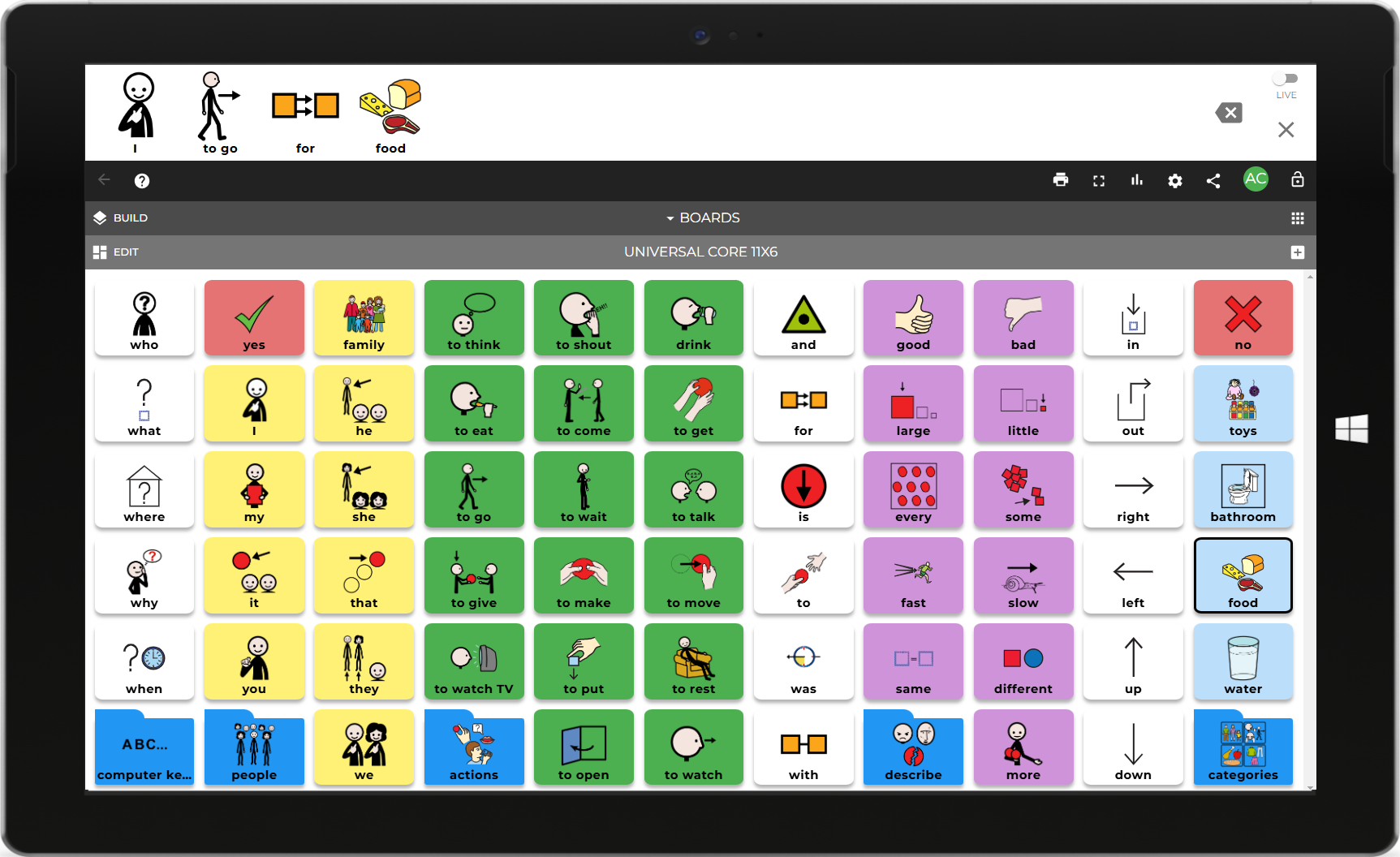
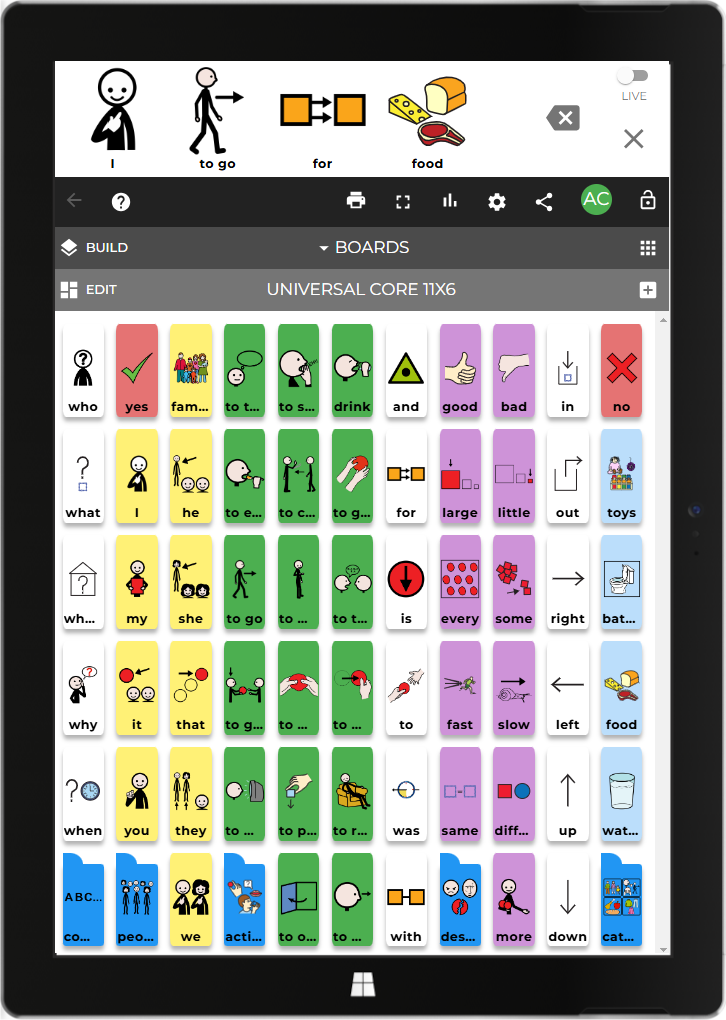
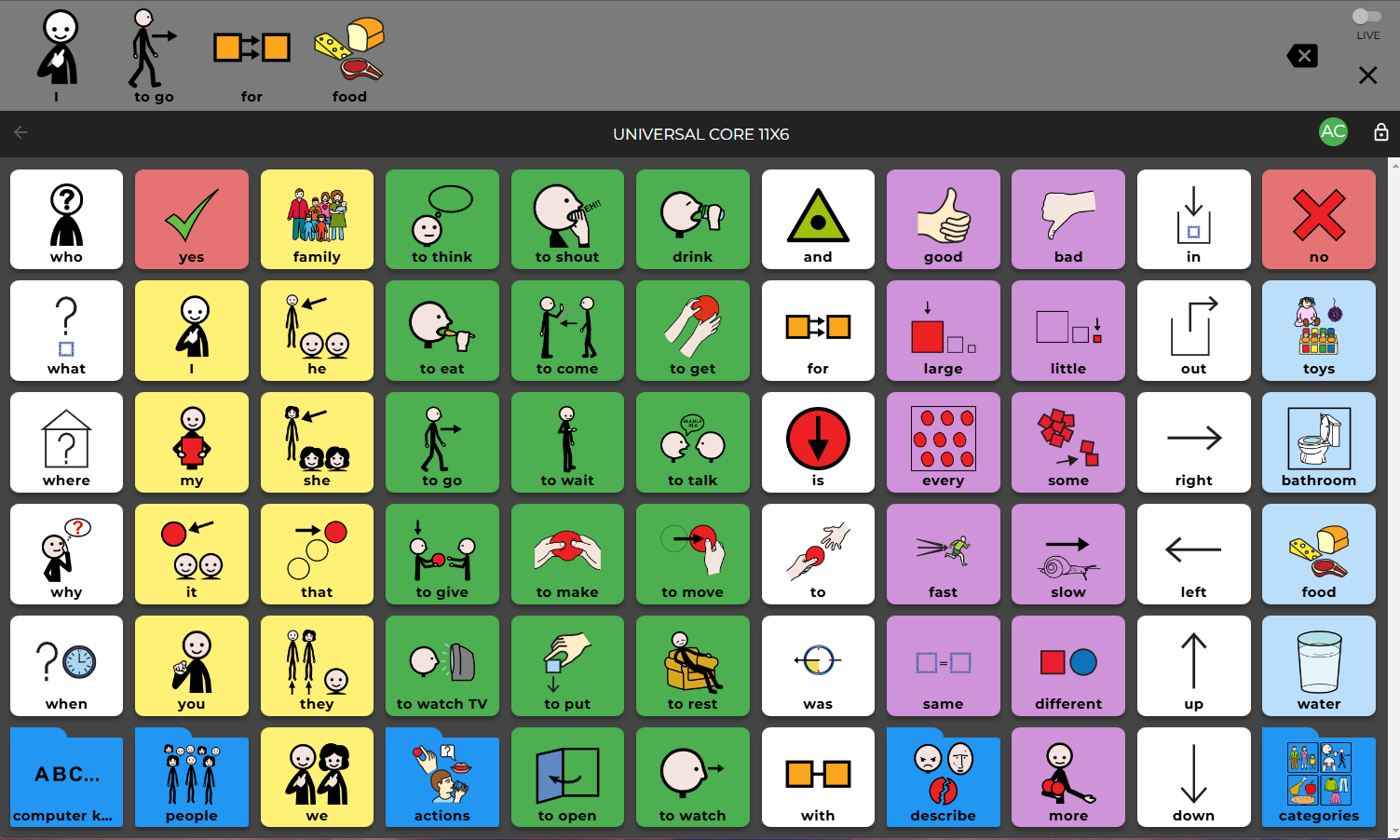
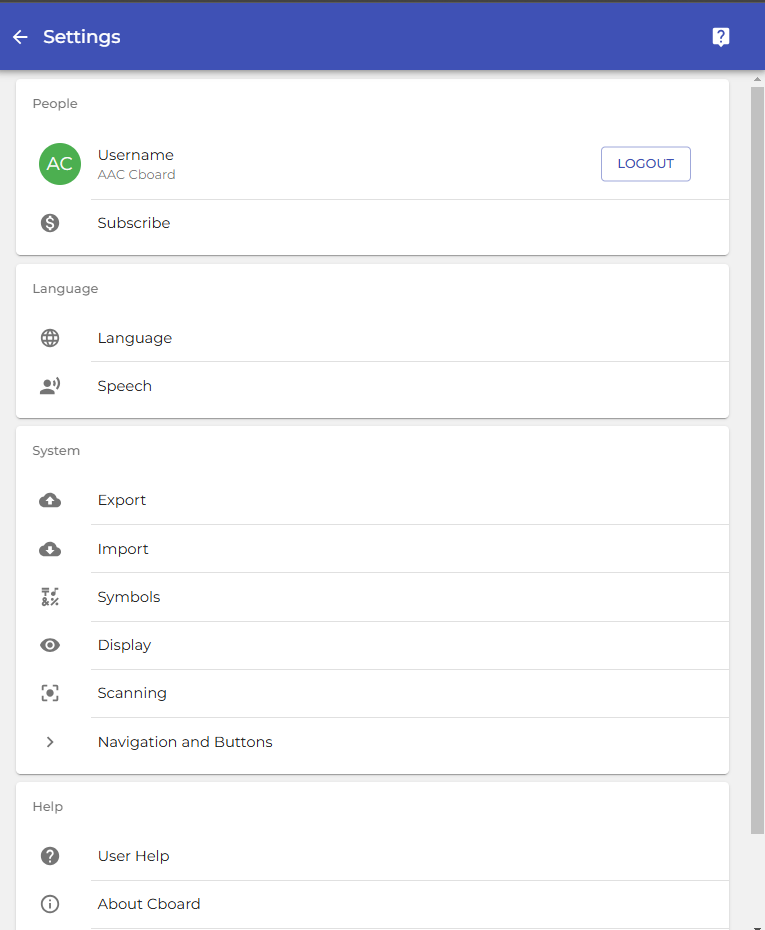
Stepping into Cboard, you're greeted with a clean, colorful, and inviting interface—think of it as walking into a cozy, organized library where everything is at your fingertips. The design emphasizes accessibility, with large buttons and clear icons that minimize confusion, especially vital for users with motor or cognitive challenges. The customization options are presented intuitively: drag-and-drop functions to add images, simple text inputs, and straightforward menus to organize communication boards. This attention to usability ensures that both users and their caregivers experience a seamless interaction, akin to flipping through a familiar picture album rather than wrestling with complex menus.
Operating Cboard AAC is like riding a smooth, well-maintained bicycle—quiet, responsive, and enjoyable. The app runs fluidly, with immediate responses that prevent any frustrating lag, which is crucial for maintaining user engagement. For new users, the learning curve is gentle; most can start creating basic communication boards within minutes, thanks to guided tutorials and logical layout. Over time, as users unlock more features and customize their boards, the app becomes more tailored and powerful—yet always remains accessible. This balance between depth and simplicity makes Cboard an excellent choice for both beginners and advanced users seeking a more personalized AAC experience.
While many communication apps focus solely on static image-based vocab, Cboard distinguishes itself through its emphasis on Content accuracy & authority and Personalized learning paths. Its extensive library of images and phrases, combined with the ability to add custom content, ensures that communication is not only functional but contextually relevant. Unlike generic AAC tools, Cboard adaptively scales with user growth, introducing new vocabulary aligned with their progress—much like a teacher carefully guiding a student through increasingly complex language tasks. This focus on tailored learning makes it especially suitable for users with evolving needs and those in therapeutic settings, offering a dynamic platform that grows with them.
Overall, Cboard AAC for Windows emerges as a well-rounded, thoughtful communication solution that balances simplicity with depth. Its standout features—especially the customization capabilities and adaptive learning pathways—make it particularly appealing for users needing a versatile AAC tool that can grow alongside them. I recommend this app for caregivers, therapists, and individuals seeking an accessible platform that doesn't compromise on personalization. Whether you're just starting with AAC or looking to upgrade to a more flexible app, Cboard offers a stable, resource-rich environment to facilitate meaningful communication. Give it a try—you'll find it's like opening a window into new worlds of expression.
Customizable Layouts
Voice Output Support
Wide Vocabulary Options
Intuitive Touch Interface
Offline Functionality
Limited Emoji Integration
Occasional Lag in Response
Customization Options Could Be Expanded
Learning Curve for New Users
Limited Language Support for Some Languages

for Windows
 4.8
4.8

for Windows
4.7

for Windows
4.7

for Windows
4.6

for Windows
4.6

for Windows
4.6

for Windows
4.5

for Windows
4.5

for Windows
4.4

for Windows
4.4

for Windows
4.4

for Windows
4.4

for Windows
5

for Windows
5

for Windows
5

for Windows
5

for Windows
5

for Windows
5

for Windows
5

for Windows
5

for Windows
5

for Windows
5