Utilities & tools
PC, Mobile, Surface Hub, HoloLens
Windows 10 version 17763.0 or higher
English (United States)
If you're dealing with CAD or DXF files but not looking to invest in hefty design software, the CAD / DXF Viewer for Windows by Mia Sarah offers a streamlined solution. It's like having a reliable digital magnifying glass—helping engineers, architects, or hobbyists quickly peek into complex designs without the fuss of full CAD suites. This app is designed to make file inspection straightforward and accessible, catering to users who need clarity without the clutter.
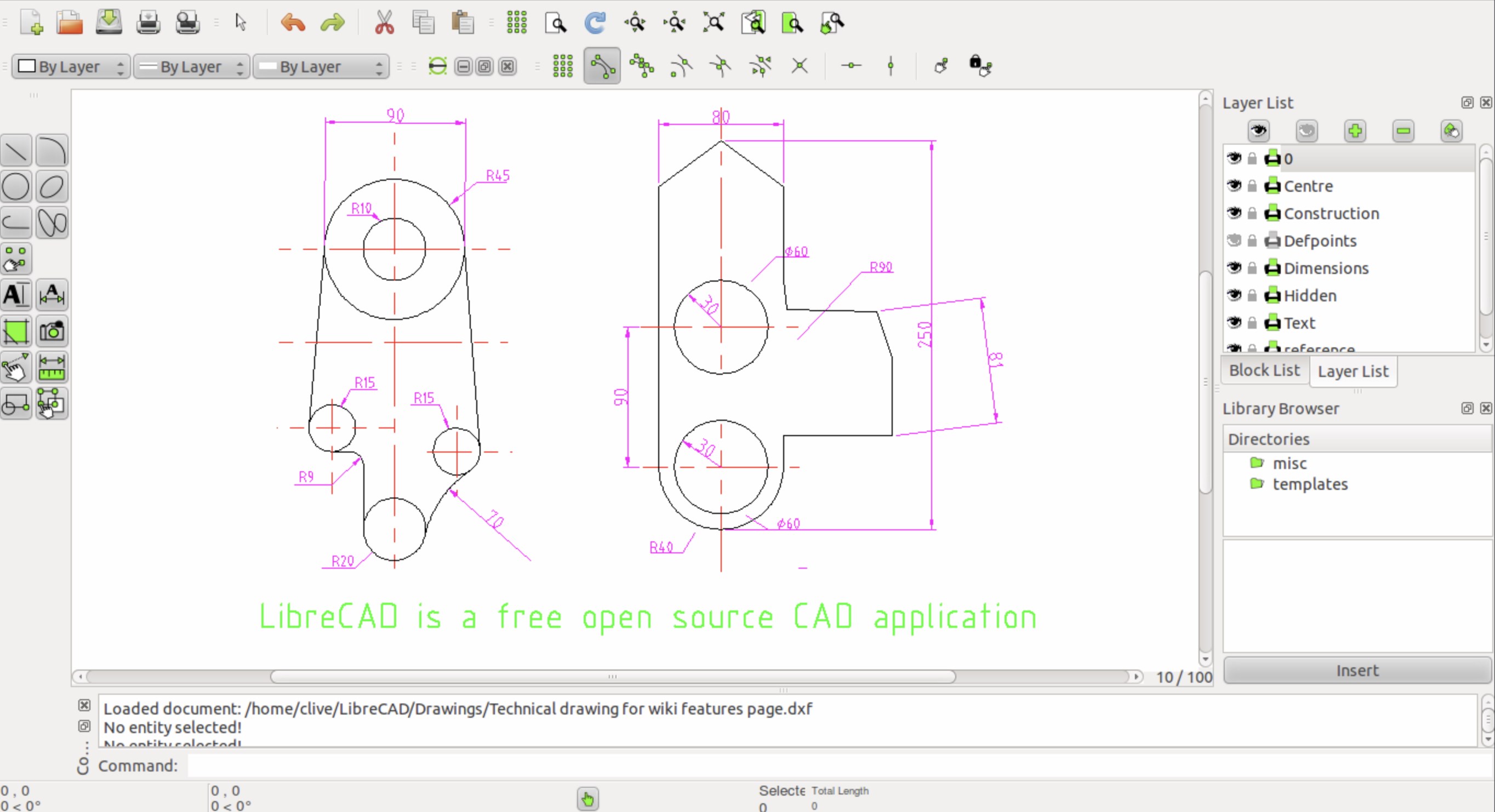
The app supports easy import and navigation of CAD and DXF files. Its interface resembles a clean workspace, where users can effortlessly open files with just a few clicks, zoom in and out with smooth gestures, and pan around detailed blueprints or models. It's akin to flipping through a well-organized paper blueprint—except it's digital, sharper, and more flexible. The visual rendering is sharp, enabling users to view intricate details without lag or distortions, which is essential for precise inspections and presentations.
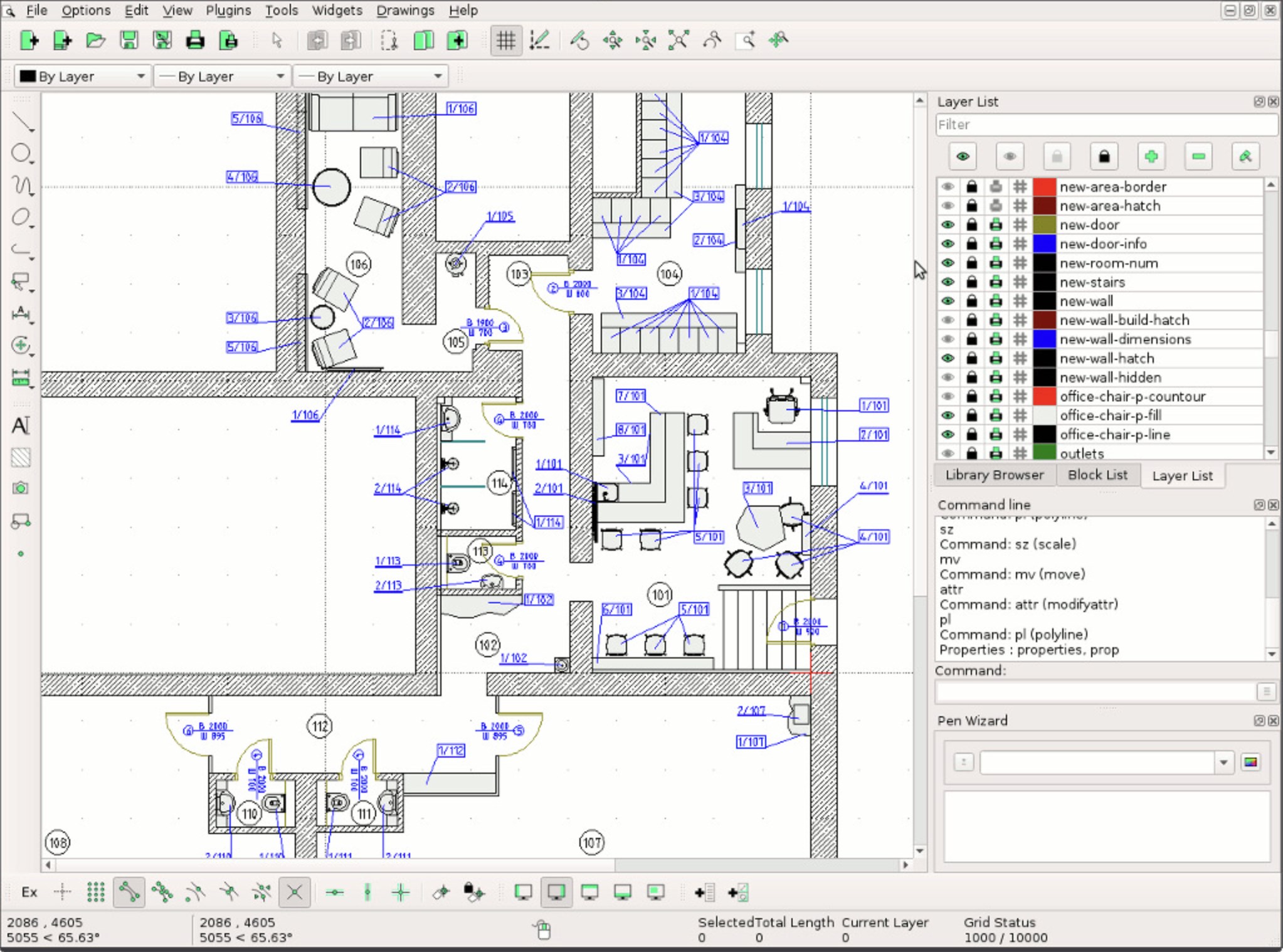
One of the app's key strengths lies in its rendering engine. It faithfully displays complex CAD elements, including lines, curves, and annotations, preserving the integrity of the original design. The support for layers ensures that users can toggle visibility of different aspects of the drawing, making it easier to analyze specific components or sections—much like peeling back layers of an onion for a closer look. This feature is especially valuable for professionals needing to examine detailed plans or schematics without opening bulky desktop CAD software.
The interface embodies clarity and simplicity. Unlike many professional CAD viewers that can intimidate newcomers with a multitude of tools, this app offers a clean layout with only essential functions at your fingertips. Navigating through files, zooming, and toggling layers become intuitive actions—reducing the barrier for first-time users. This user-friendly approach makes it accessible for students, hobbyists, or seasoned experts who want quick insights without breaking their heads over complex menus.
The app boasts a modern, straightforward interface that feels familiar for Windows users, almost like opening a well-organized digital drawing board. Responsiveness is notable—zooming and panning glide smoothly, even with sizable files. The learning curve is gentle; most features are self-explanatory, requiring little time for new users to become comfortable. Overall, it feels like turning the pages of a well-loved magazine—familiar, accessible, and easy to navigate.
What sets this viewer apart from similar utilities is its combination of high-fidelity rendering along with extremely user-friendly operation. While many CAD viewers focus solely on basic visualization or demand extensive setup, Mia Sarah's app emphasizes quick, reliable access to detailed views, especially with layer control—allowing users to dissect complex drawings with precision. Its lightweight design ensures fast performance on modest hardware, unlike bulky CAD programs that require powerful machines. This balance of simplicity and detailed control makes it a noteworthy tool in the CAD viewing landscape.
All in all, the CAD / DXF Viewer for Windows by Mia Sarah earns a solid recommendation for those seeking a straightforward, efficient way to inspect CAD drawings without the need for advanced editing tools. It's perfect for engineers, architects, students, or even hobbyists who need quick access to file contents. For everyday viewing, layer management, and detailed rendering, it provides a reliable platform that is easy to use and reliable. If your workflow involves frequent review rather than editing or creating designs, this app could become a handy digital companion.
Intuitive interface
Supports multiple formats
Quick rendering speed
Lightweight app size
Basic editing features
Limited advanced editing tools
No cloud storage integration
Basic rendering without customizable display options
Occasional lag with large files
Limited export formats for sharing

for Windows
 5
5

for Windows
5

for Windows
5

for Windows
5

for Windows
5

for Windows
4.9

for Windows
4.9

for Windows
4.9

for Windows
4.9

for Windows
4.9

for Windows
4.9

for Windows
4.9

for Windows
5

for Windows
5

for Windows
5
for Windows
5

for Windows
5

for Windows
5

for Windows
5

for Windows
5

for Windows
5

for Windows
5