Security
PC
Windows 10 version 0.0 or higher
Integrated Keyboard
Integrated Mouse
Arabic, Belarusian, Bulgarian, Catalan, Chinese, Chinese (Simplified), Chinese (Traditional Chinese), Croatian, Czech, Danish, Dutch, English, English (United Kingdom), Estonian, Finnish, French, German, Greek, Hebrew, Hindi, Hungarian, Indonesian, Italian, Japanese, Korean, Latvian, Lithuanian, Malay, Norwegian, Persian/Farsi, Polish, Portuguese, Portuguese (Brazil), Romanian, Russian, Serbian, Slovak, Slovenian, Spanish, Swedish, Thai, Turkish, Ukrainian, Urdu, Vietnamese
With cyber threats evolving faster than ever, having a trustworthy and user-friendly antivirus is essential. Avast Free Antivirus for Windows stands out as a solid choice for users seeking robust protection without sacrificing ease of use. Developed by Avast Software, this application aims to be your digital sentry—scanning, defending, and optimizing your PC effortlessly.
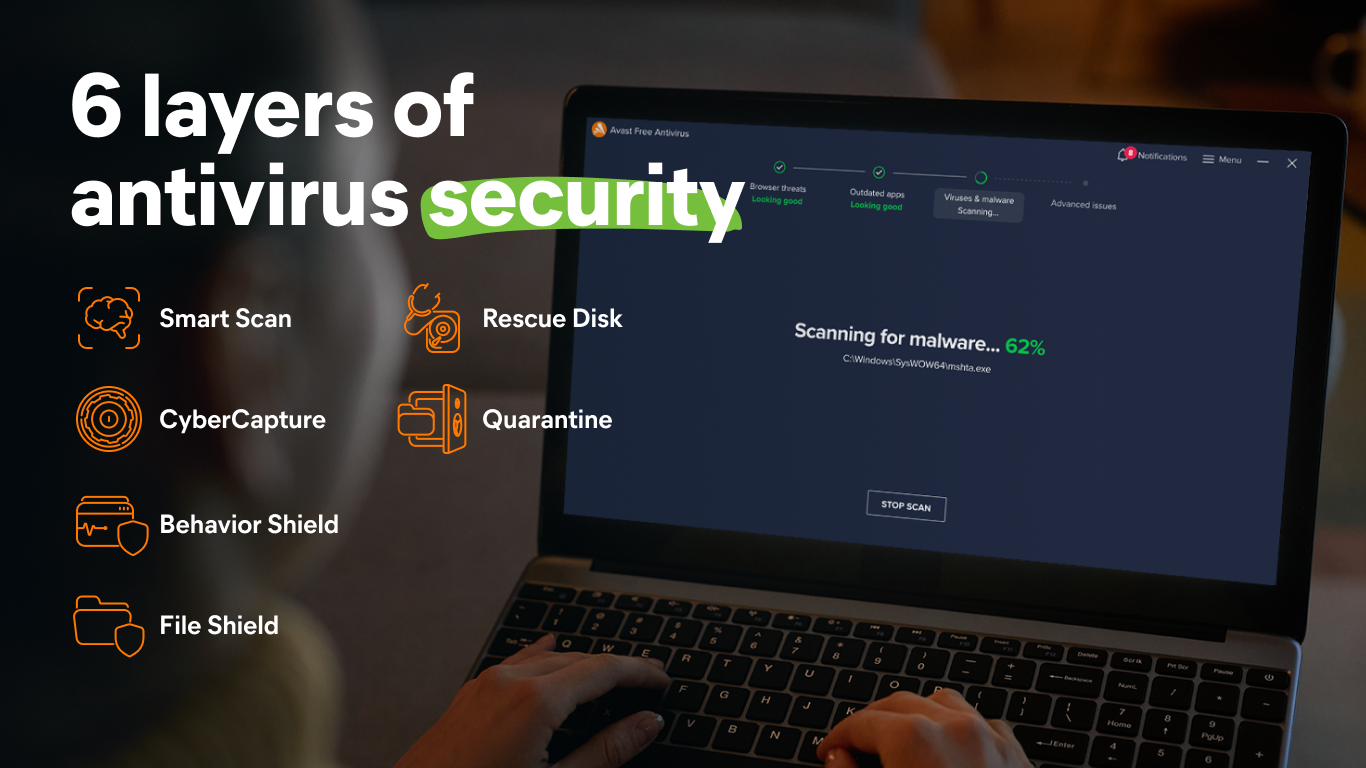
Avast Free Antivirus excels in offering essential security features bundled into an accessible package. Its main highlights include real-time malware detection, Wi-Fi security scanning, and a comprehensive system health check. These tools work harmoniously to shield your device while keeping your system lean and fast.
Stepping into Avast's interface feels like entering a well-organized control room—sleek, straightforward, and inviting. The main dashboard presents vital stats—scan status, update checks, and threat alerts—in a clean layout, making navigation feel intuitive even for those new to cybersecurity tools. Operation is smooth, with quick response times and minimal lag, creating a seamless experience. Plus, the learning curve is gentle; most features can be accessed and understood within minutes, thanks to well-placed icons and helpful prompts. The app feels like a trusty co-pilot—familiar yet powerful—guiding you through the maze of digital threats without overwhelming you.
While many antivirus programs offer similar bodies of protection, Avast sets itself apart through its dedicated Wi-Fi inspector and browser cleanup tools. The Wi-Fi inspector continuously scans your network for vulnerabilities, notifying you before malicious intruders can breach your home's digital front door—a feature that feels akin to having a vigilant security guard patrolling your network perimeter. Additionally, its browser cleanup tool effectively eliminates unwanted toolbars and redirects, optimizing your online experience. These features highlight Avast's commitment to proactive security and a smoother online journey, making it not just a scanner but an active defender of your digital life.
Overall, Avast Free Antivirus provides a comprehensive layer of protection suitable for everyday users. Its core strength lies in the blend of user-friendly design and proactive security features, especially the Wi-Fi security scanner and browser cleanup—true standout functionalities. While it may not offer all the advanced customization options of paid counterparts, it covers the essentials well for most home users. If you're looking for a free antivirus that's easy to set up, unobtrusive during daily use, and equipped with some clever tools to preempt threats, Avast is definitely worth considering. Think of it as a reliable shield—solid, approachable, and always ready to defend your digital territory.
Comprehensive malware protection
Lightweight system performance
User-friendly interface
Real-time scanning and updates
Additional features like browser cleanup and Wi-Fi security scanner
Occasional false positives
Limited advanced features
Potential prompts for upgrading
Occasional false scan alerts during system scans
Ads for other Avast products

for Windows
 4.8
4.8

for Windows
4.7

for Windows
4.7

for Windows
4.7

for Windows
4.6

for Windows
4.6

for Windows
4.5

for Windows
4.4

for Windows
4.4

for Windows
4.3

for Windows
4.3

for Windows
4.3

for Windows
5

for Windows
5

for Windows
5

for Windows
5

for Windows
5

for Windows
5

for Windows
5

for Windows
5

for Windows
5

for Windows
5