Entertainment
PC
Windows 11 version 26100.0 or higher
Version 11
Arabic, Catalan, Chinese (Simplified), Chinese (Traditional), Chinese (Traditional, Hong Kong SAR), Croatian, Czech, Danish, Dutch, English (Australia), English (United Kingdom), English (United States), Finnish, French, French (Canada), German, Greek, Hebrew, Hindi, Hungarian, Indonesian, Italian, Japanese, Korean, Malay, Norwegian (Bokmål), Polish, Portuguese (Brazil), Portuguese (Portugal), Romanian, Russian, Slovak, Slovenian, Spanish, Spanish (Latin America), Swedish, Thai, Turkish, Ukrainian, Vietnamese
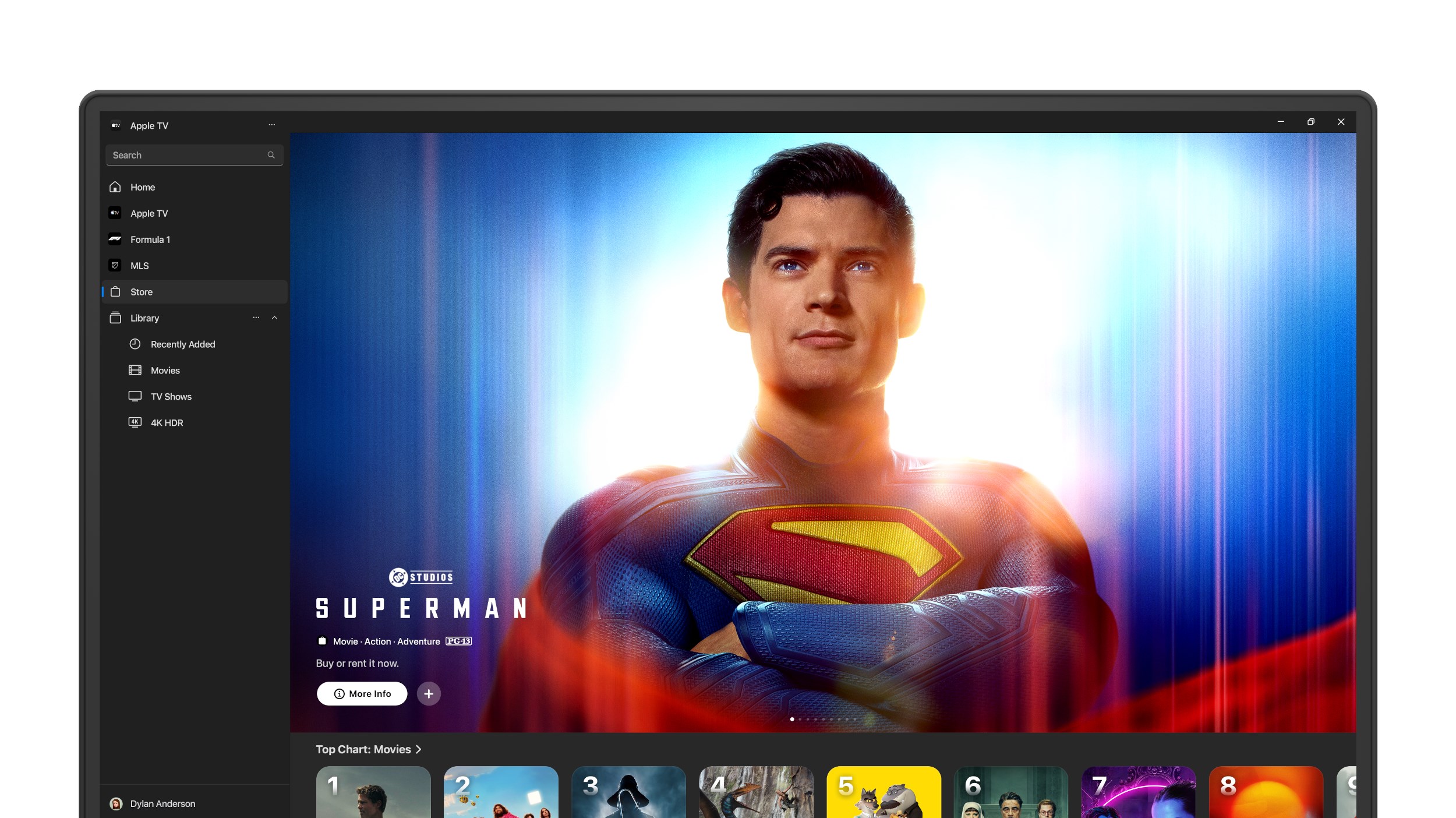
Apple TV for Windows is a dedicated app that brings the sleek and seamless Apple TV+ experience directly to your Windows device, making high-quality entertainment accessible beyond Apple's ecosystem.
Developed by Apple Inc., this application aims to extend Apple's renowned content discovery and streaming capabilities to Windows users. Its primary features include smooth content browsing, fast streaming performance, and personalized recommendations tailored to individual viewing habits. Designed for entertainment enthusiasts who want easy access to Apple TV+ and other streaming content on their PCs, this app is a must-have for those seeking a premium viewing experience outside the Apple ecosystem.
Imagine settling into your favorite armchair after a long day, ready for a night of captivating stories and stunning visuals. Apple TV for Windows acts as your virtual cinema, delivering crisp videos and an intuitive interface that invites you to dive right into the world of premium entertainment. Unlike browser-based streaming, this dedicated app offers a stable, immersive experience that feels both familiar and refined—much like the transition from a simple foldable map to a GPS guided adventure.
One of the app's most notable strengths is its advanced content discovery system. Drawing from Apple's sophisticated algorithms, it curates a list of recommendations tailored precisely to your viewing preferences. Whether you're into heartwarming dramas, edge-of-your-seat thrillers, or insightful documentaries, the app quickly learns what you like—making each browsing session personal. It's akin to having a knowledgeable friend suggest movies based on your mood and previous favorites, turning a mundane search into a delightful discovery process.
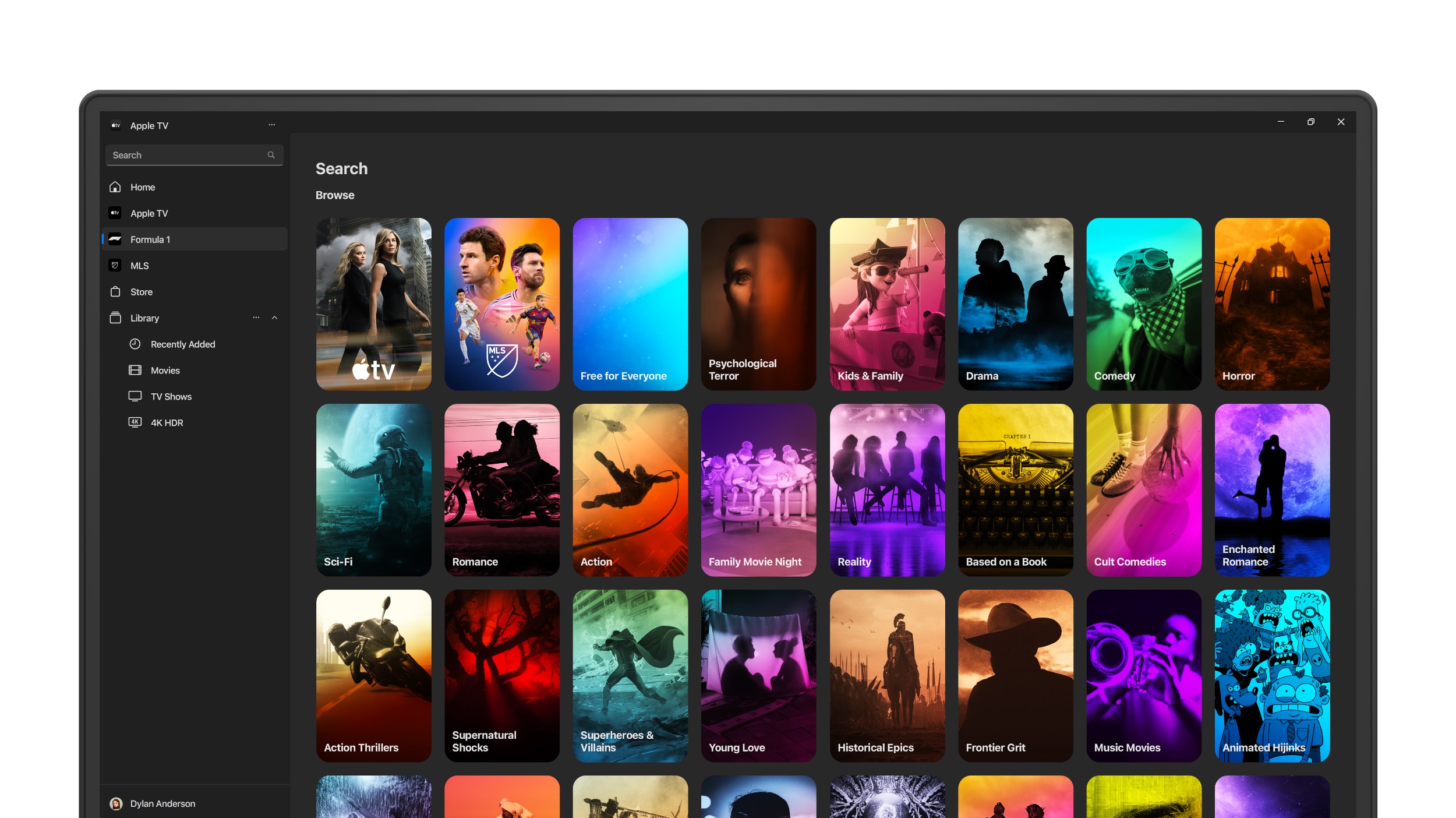
The app's user interface resembles a well-organized entertainment library, with categories and genres presented in a clean, visually appealing layout. Navigating through content feels fluid, like flipping through the pages of a bespoke magazine. The streaming itself is impressively smooth, with no noticeable lag or buffering, even on standard home internet connections. Thanks to intelligent streaming algorithms, video quality adapts dynamically, ensuring crisp visuals without taxing your bandwidth. Plus, the system's personalized recommendations are not just random suggestions—they're relevant and thoughtfully curated, enhancing user satisfaction and engagement.
From installation to daily use, Apple TV for Windows offers a learning curve akin to using a well-designed remote control—intuitive and straightforward. Its interface employs familiar Windows design cues, yet with a polished aesthetic reminiscent of Apple's sleek UI language. Switching between content, playlists, or account settings is smooth, with logical navigation that doesn't feel clumsy or overwhelming. This thoughtful design ensures that users of various tech skill levels can enjoy the service without hesitation, making it accessible for casual viewers and tech enthusiasts alike.
While numerous streaming apps flood the market, Apple TV for Windows distinguishes itself through its content ecosystem and algorithmic recommendations. Unlike other entertainment apps that rely solely on generic algorithms, Apple's system leverages its vast library of original content, exclusives, and user data to deliver highly relevant suggestions. This focus on relevance enhances user satisfaction and encourages longer engagement. Additionally, the app's tight integration with Apple's content catalog ensures that you get access to the latest releases, early premieres, and exclusive shows—making it a unique portal for Apple's premium entertainment universe.
If you're already an Apple ecosystem user or a fan of Apple TV+ original series, this app is a highly recommended addition to your Windows device—providing a dedicated, optimized experience. Tech-savvy users will appreciate the quick access and personalized recommendations, while casual viewers will find the interface approachable and easy to navigate. For optimal performance, ensure a stable internet connection and keep the app updated to benefit from the latest enhancements. Overall, this app serves as a reliable gateway to Apple's streaming universe, perfect for those seeking quality and convenience without leaving their Windows environment.
User-Friendly Interface
High-Quality Streaming
Extensive Content Library
Seamless Integration
Personalized Recommendations
Limited Availability in Some Regions
Occasional App Crashes
Requires Apple Ecosystem
Limited Offline Download Options
Monthly Subscription Cost

for Windows
 5
5

for Windows
4.8

for Windows
4.8

for Windows
4.8

for Windows
4.7

for Windows
4.6

for Windows
4.6

for Windows
4.6

for Windows
4.6

for Windows
4.6

for Windows
4.6

for Windows
4.6

for Windows
5

for Windows
5

for Windows
5

for Windows
5
for Windows
5

for Windows
5

for Windows
5

for Windows
5

for Windows
5

for Windows
5