Utilities & tools
Kowloon
PC
Windows 10 version 17763.0 or higher
Chinese (Simplified), Chinese (Traditional), English (United States), Persian, Portuguese (Brazil), Russian, Spanish (Spain), Turkish
Imagine effortlessly bridging the gap between your Android apps and your Windows machine—APK Installer for Windows by Kowloon makes this possible with a user-friendly approach that streamlines app installation, saving you time and hassle. Whether you're a tech enthusiast eager to explore Android apps on your PC or a developer testing multiple applications, this tool aims to simplify the process. Let's dive into what sets it apart and how it can enrich your Windows experience.
APK Installer for Windows is crafted by Kowloon, a developer team committed to creating practical utilities that enhance cross-platform usability. Their focus here is delivering an intuitive, robust, and efficient tool to install and manage Android APK files directly on Windows PCs. With experience in developing lightweight yet powerful applications, Kowloon aims to empower users to run Android apps seamlessly within their Windows environment.
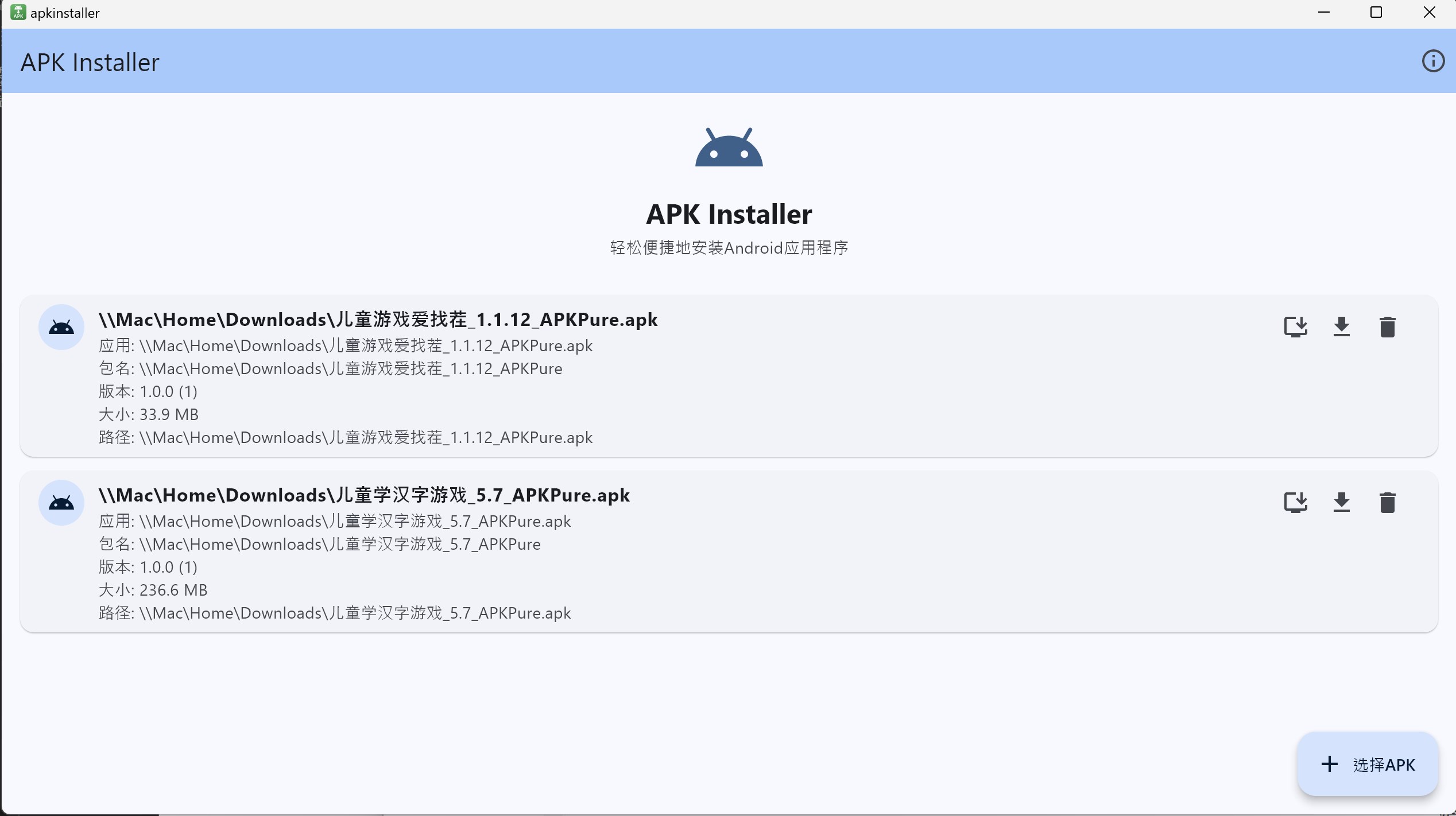
Stepping into APK Installer's interface is akin to opening a neatly organized toolbox—clean, intuitive, and inviting. The home screen offers a simple drag-and-drop zone for APK files, which can make the installation process feel as easy as dropping a letter into the mailbox. The software's responsiveness impresses; clicking, loading, and installing happen smoothly, even when handling multiple files. For new users, the minimal learning curve is a breath of fresh air—no need for complex configurations or excessive settings.
Now, let's explore the core functionalities. First, the direct APK installation is a revelation for casual users and developers alike. Instead of navigating through convoluted menus, you can install apps with a straightforward process, saving your precious time. Second, batch installation shines for power users: imagine preparing a set of test apps and installing them all at once, like a conductor orchestrating a symphony of software. This feature considerably accelerates workflows, especially for those involved in testing or development tasks.
Regarding user experience, the interface's clarity paired with operation fluidity makes the software feel like a natural extension of your Windows environment. The learning curve is gentle, with minimal setup—just install, drag your APKs, and click install. This seamlessness ensures users can focus on their tasks rather than battling with the tool itself.
In a crowded landscape of tools claiming to facilitate Android app management on Windows, APK Installer for Windows distinguishes itself through its simplicity and multi-Apk batch installation prowess. Unlike more complex solutions that require extensive configurations or emulators, this app offers a plug-and-play experience, designed to appeal to both novices and experienced developers. Its compatibility with various Android environments and focus on speed sets it apart—making it not just a utility, but a practical companion that integrates smoothly into your workflow.
Based on its features and user-friendly design, I recommend APK Installer for Windows to anyone interested in easily installing Android APK files without fuss. Developers testing multiple app versions or enthusiasts tinkering with Android apps on Windows will find its batch installation and compatibility features particularly valuable. While it's lightweight and straightforward, it's not meant to replace comprehensive emulators but rather to serve as a quick and efficient installation tool.
Usage tip: Pair it with an Android emulator for a more integrated experience, or use it directly if you need fast APK deployment. Its simplicity makes it a recommended utility for those who prioritize efficiency over exhaustive customization.
User-friendly Interface
Supports Multiple APK Sources
Fast Installation Process
Lightweight App Size
Regular Updates and Support
Limited Compatibility with Older Devices
Basic User Interface in Certain Languages
No Batch APK Installation Feature
Few Customization Options
Insufficient Error Messages for Failures

for Windows
 5
5

for Windows
5

for Windows
5

for Windows
5

for Windows
5

for Windows
4.9

for Windows
4.9

for Windows
4.9

for Windows
4.9

for Windows
4.9

for Windows
4.9

for Windows
4.9

for Windows
5

for Windows
5

for Windows
5
for Windows
5

for Windows
5

for Windows
5

for Windows
5

for Windows
5

for Windows
5

for Windows
5