Lifestyle
Mature Charming Lady
PC, Mobile, Surface Hub, HoloLens
Windows 10 version 17763.0 or higher
English (United States)
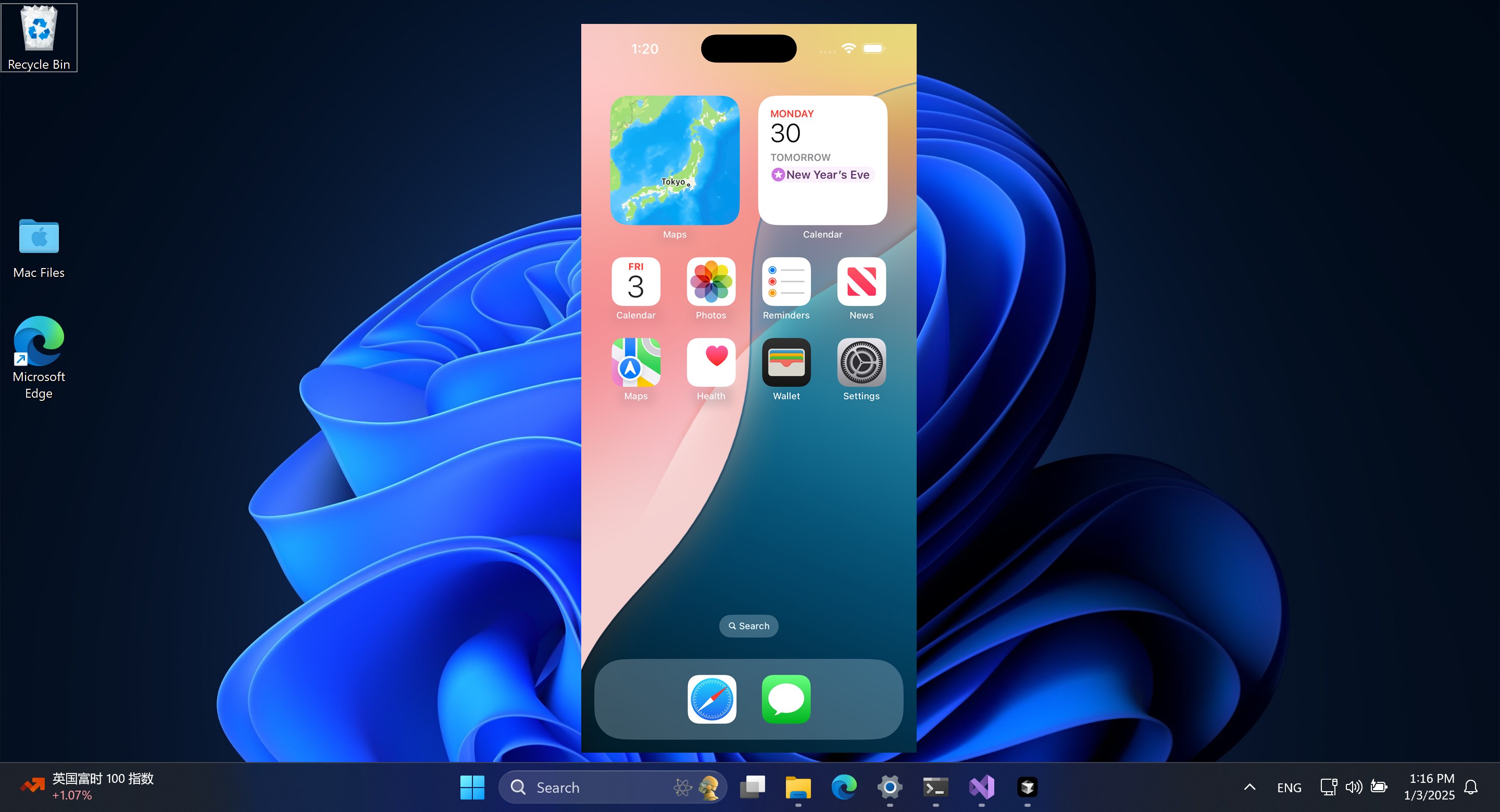
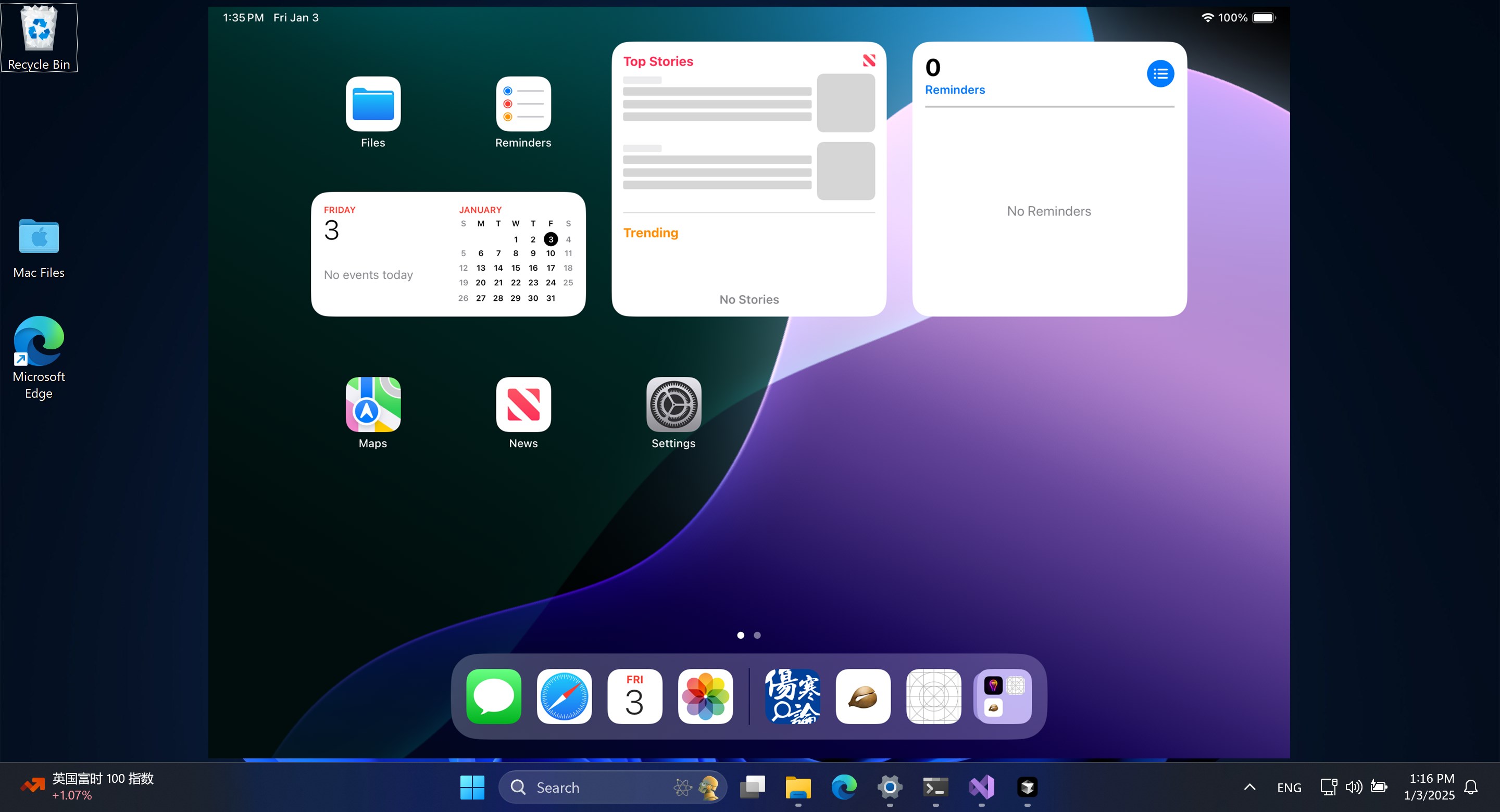
AirPlayH by Mature Charming Lady stands out as a straightforward yet powerful tool designed to bring wireless screen mirroring to Windows users, facilitating a smooth experience akin to possessing an invisible HDMI cable that connects your devices effortlessly.
Developed by the talented team at Mature Charming Lady, this app is tailored for those who crave a clutter-free, wireless display solution in their daily tech interactions. Its core features include:
The application's target audience encompasses professionals, educators, and casual users seeking an uncomplicated wireless mirroring solution, especially those embedded within the Apple ecosystem but operating on a Windows platform.
Imagine unboxing a sleek gadget and flicking a switch to summon a brand-new realm of display options—that's what initial setup with AirPlayH feels like. The user interface is thoughtfully minimalistic; once you launch the app, it presents a clean dashboard that guides you step-by-step. Connecting your iPhone or Mac to your Windows PC is as simple as selecting the device name from a list—no tangled cables, no elaborate configurations. The process is quick, often completing within seconds, thanks to optimized connection protocols.
Once connected, the app's most impressive feature reveals itself: high-quality video transmission. Whether you're streaming your favorite movie, giving a presentation, or viewing family photos, AirPlayH preserves clarity and color richness. During testing, the latency remained minimal, making real-time interactions smooth and natural—imagine mirroring a conversation on a stage or engaging in a brainstorming session without lag interruptions. The app handles multiple types of media efficiently, reassuring users that quality is never sacrificed for convenience.
The user interface design emphasizes clarity and accessibility—bright icons, logical flow, and streamlined menus make navigation feel instinctive. Learning curves are gentle, with most users reaching proficiency after a few minutes of usage. The app's stability enhances user confidence; brief disconnections or glitches are rare, and when they do occur, they're easily resolved with reconnect options provided clearly on-screen. Overall, the experience is akin to having an expert assistant who anticipates your needs, without unnecessary complexity or technical jargon.
While many screen mirroring tools exist, AirPlayH's unique edge lies in its focus on authentic Apple ecosystem integration within the Windows environment. Unlike generic mirroring apps that may offer basic functionality, AirPlayH emphasizes content authenticity and expert-level fidelity, making it suitable for professional use where quality matters. Its ability to reliably mirror in high definition while maintaining low latency gives it an edge over more rudimentary options. The app's simplicity, combined with polished performance, makes it particularly appealing for users who value a trustworthy, straightforward solution rather than overly complex setups.
Overall, I recommend AirPlayH for anyone who needs a dependable, easy-to-use wirelessly screen mirroring app on Windows, especially if you rely heavily on Apple devices. For casual presentations or media sharing at home or small offices, it offers a seamless experience that feels almost magical—as if your devices are communicating in whispers across the digital ether. While it might not yet have all the bells and whistles of more comprehensive enterprise solutions, its targeted strengths make it an excellent choice for everyday use. Given its solid performance and user-centric design, I consider it a valuable addition to your tech toolkit—especially if you prioritize quality, reliability, and simplicity.
Easy Screen Mirroring Setup
Wide Compatibility with Devices
High-Quality Video Streaming
User-Friendly Interface
Stable Connection Performance
Limited Free Features
Initial Connection Might Be Slow
Requires Reliable Network Connectivity
Occasional Latency Issues
Limited Customization Options

for Windows
 4.9
4.9

for Windows
4.8

for Windows
4.8

for Windows
4.8
for Windows
4.7

for Windows
4.2

for Windows
4.2

for Windows
4

for Windows
3

for Windows
3

for Windows
2.4

for Windows
2.3

for Windows
5

for Windows
5

for Windows
5

for Windows
5

for Windows
5

for Windows
5

for Windows
5

for Windows
5

for Windows
5

for Windows
5