Multimedia design
Adobe
PC
Windows 10 version 0.0 or higher
8 GB
DirectX 12 API, Hardware Feature Level 12
English, Chinese (Simplified), Chinese (Traditional Chinese), Czech, Danish, Dutch, Dutch, English (United Kingdom), Finnish, French, Russian, Spanish, Ukrainian, Spanish (Mexico), French (Canada), German, Italian, Norwegian, Polish, Portuguese (Brazil), Portuguese, Swedish, Turkish, Japanese, Korean
Adobe Fresco for Windows stands out as a sophisticated yet approachable drawing and painting app designed to empower artists, illustrators, and designers with intuitive tools that mimic traditional media. Whether you're a professional illustrator or an enthusiastic hobbyist, this app aims to bridge the gap between analog and digital art, providing a seamless creative experience.
Precisely Crafted for Digital Artists: Adobe Fresco is a versatile drawing application focused on natural brushes and realistic media simulations, optimized for Windows devices.
Developer & Publisher: Developed and published by Adobe Inc., a leader in creative software solutions.
Main Features Highlights:
Target Audience: Digital artists, illustrators, students, and professionals seeking a fluid, natural drawing experience on Windows devices.
If you've ever wished that your digital canvas could feel as lively and unpredictable as paper and paint, Adobe Fresco for Windows might just be your new artistic companion. Picture yourself comfortably seated at your desk, stylus in hand, as colors burst to life on your screen — it's like inviting a splash of watercolor or oil onto your digital palette, with the ease of click and swipe. This app isn't just a tool; it's a playground for visual storytellers eager to explore textures and blending like never before.
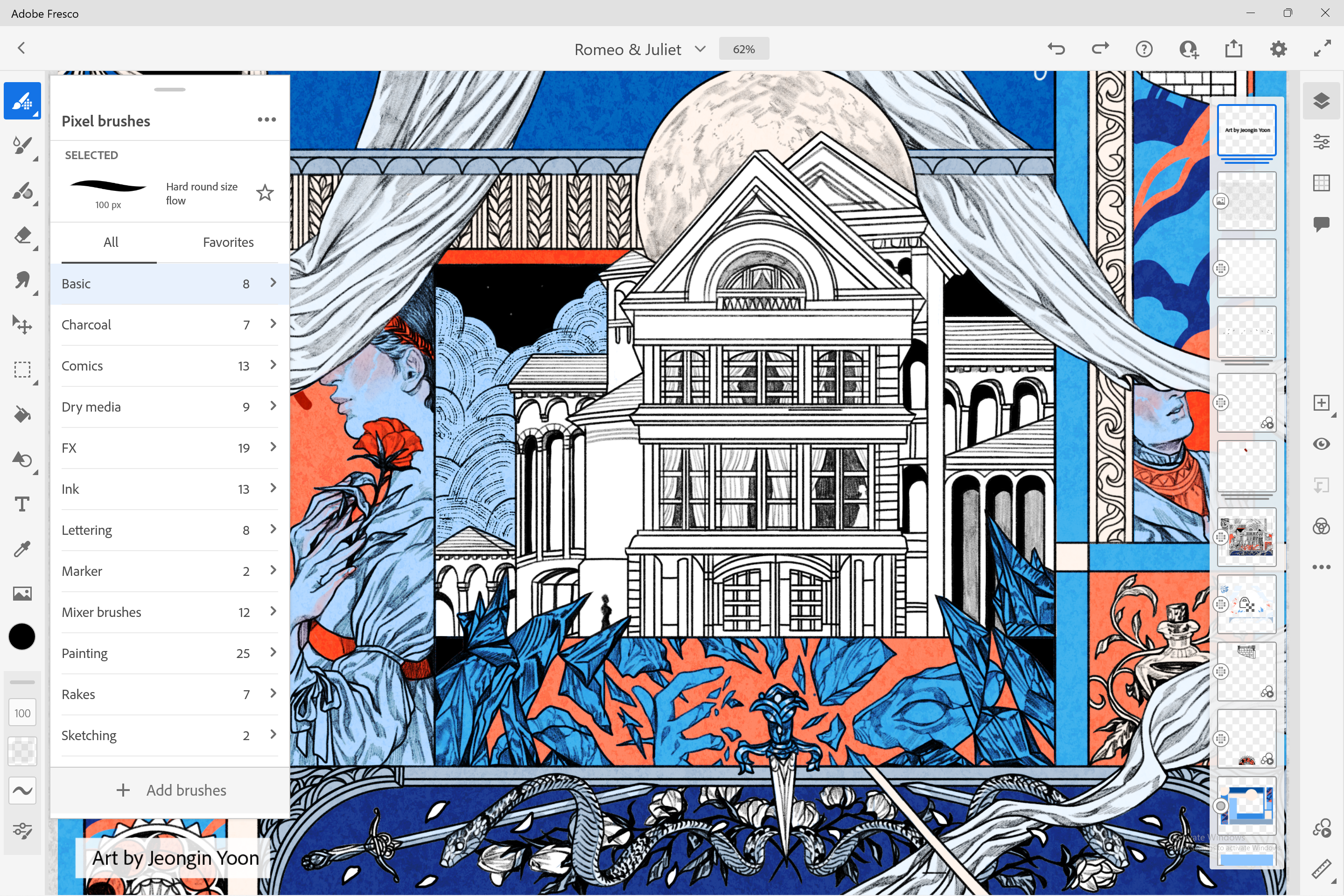
The crown jewel of Fresco lies in its innovative Live Brushes, which simulate real-world watercolor and oil paints with astonishing realism. As you paint, colors blend and diffuse dynamically, mimicking wet media on canvas. This feature grants your digital artwork an organic feel, introducing a level of spontaneity that traditional vector tools often lack. It's as if your colors have a life of their own, flowing and merging in response to your strokes, making every piece uniquely expressive.
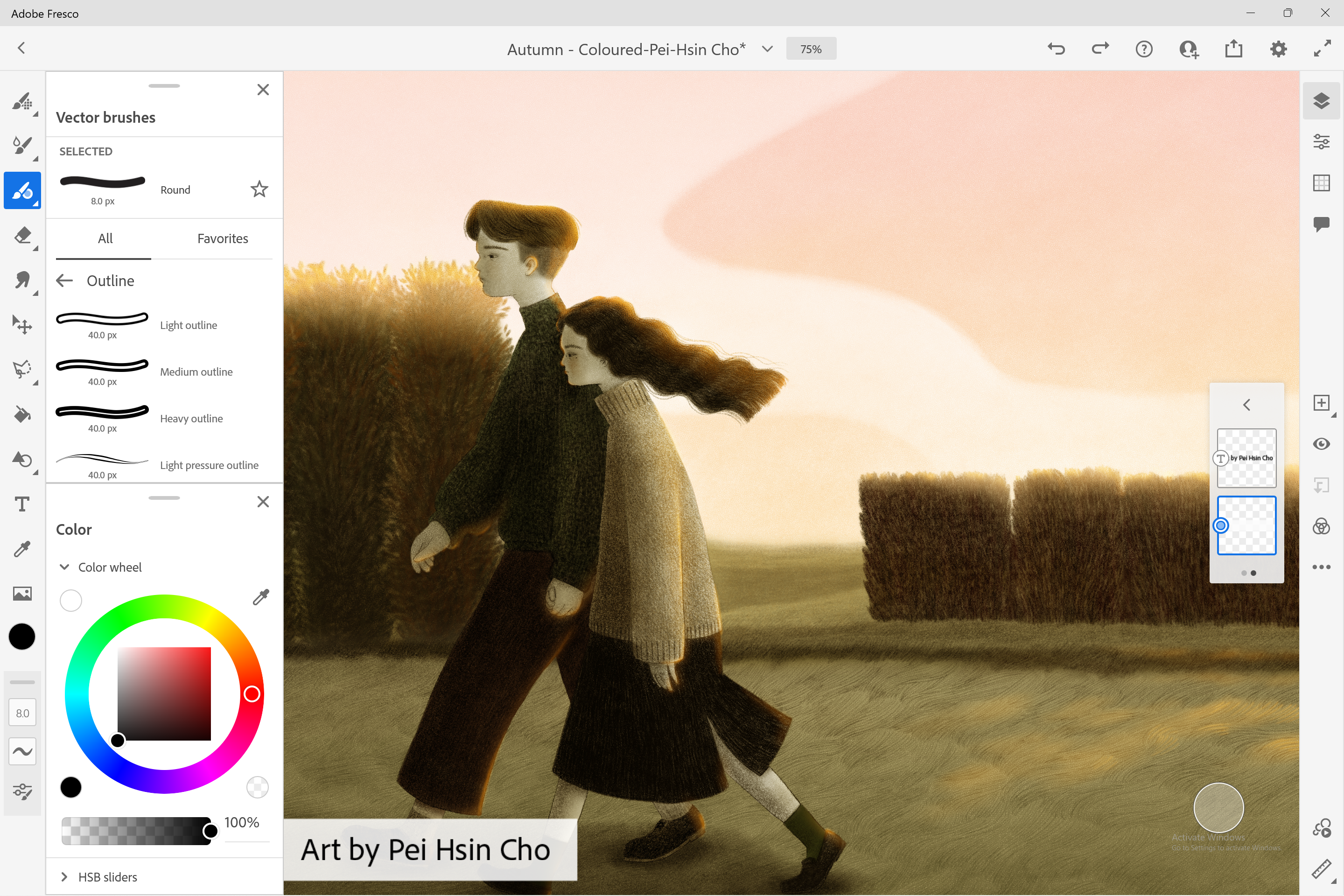
Fresco offers a dual paradigm of raster and vector layers, allowing you to create intricate illustrations with precise control or freehand sketches with rich textures. Its intuitive interface helps switch between pixel-based painting and scalable vector elements effortlessly, catering to a wide range of artistic styles. This flexibility is particularly advantageous for artists who want to refine their work for different mediums, from detailed concept art to crisp logos.
The app's interface is clean, modern, and approachable, reminiscent of stepping into an artists' studio rather than a cluttered software interface. Touch and stylus inputs respond fluidly, providing a natural drawing sensation that's vital for detailed work. Navigation feels intuitive, with tools nested logically to minimize unnecessary clicks. For new users, a gentle learning curve is complemented by helpful tutorials, ensuring you're supported as you explore complex features.
While many multimedia design applications dabble in digital painting, Fresco's defining feature is its authentic simulation of real-world media combined with the flexibility of digital layers. Unlike some apps that emphasize only vector art or bitmap painting, Fresco delivers a harmonious blend, effectively supporting artists at every stage — from sketching to finishing touches.
Additionally, its seamless integration with Photoshop and Illustrator within the Adobe ecosystem is a major plus, enabling easy workflows for professionals. The app's dedicated Live Brushes, in particular, stand out as a unique selling point, offering a level of realism that elevates digital painting from mere recreation to genuine artistic expression.
Adobe Fresco for Windows is recommended for those who value realistic media effects and intuitive drawing experiences. Beginners can enjoy its accessible interface and helpful tutorials, while seasoned artists will appreciate its depth and versatility. For optimal use, pair it with a good stylus and a high-resolution touchscreen or drawing tablet to fully experience the app's responsiveness.
While it excels in natural media simulation, occasional users or those seeking specialized features outside painting or drawing might find other tools more fitting. Overall, if your goal is to infuse your digital art with the warmth and unpredictability of traditional media, Fresco is a compelling choice worth exploring.
Adobe Fresco for Windows combines innovative features with a user-friendly design, making it a strong contender in digital art applications. Its most special aspect — the Live Brushes — is a game-changer, offering a realism that makes digital painting feel more organic and lively. Whether you're creating detailed illustrations or spontaneous sketches, this app provides the tools and environment to bring your ideas vividly to life. I'd recommend giving it a try, especially if you're seeking a natural, immersive painting experience on your Windows device.
Excellent Brush Quality
Intuitive User Interface
Hybrid Vector and Raster Workflows
Cloud Synchronization
Responsive Touch and Pen Input
Limited Export Options
Performance Issues on Low-end Devices
Learning Curve for Advanced Features
Limited Customization of UI
Offline Functionality Constraints

for Windows
 4.8
4.8

for Windows
4.8

for Windows
4.7

for Windows
4.7

for Windows
4.6

for Windows
4.6

for Windows
4.6

for Windows
4.6

for Windows
4.5

for Windows
4.5

for Windows
4.5

for Windows
4.5

for Windows
5

for Windows
5

for Windows
5

for Windows
5

for Windows
5

for Windows
5

for Windows
5

for Windows
5

for Windows
5

for Windows
5