Multimedia design
Adobe
PC
Windows 10 version 19041.0 or higher
4 GB
Not specified
Not specified
English (United States)
Adobe Express for Windows is a versatile design app that aims to simplify quick content creation, blending professional-grade tools with user-friendly workflows, perfect for both beginners and seasoned creators alike.
Developed by Adobe Inc., a global leader in creative software, Adobe Express brings the company's acclaimed design expertise to a more accessible format. Backed by a team renowned for innovative products like Photoshop and Illustrator, this app inherits Adobe's commitment to empowering users with powerful yet approachable tools.
Imagine sitting at your desk, a steaming cup of coffee by your side, ready to craft a compelling social media post or a sleek presentation. Adobe Express for Windows acts like a friendly co-creator—guiding your hand with ease, yet giving you the creative freedom to customize every detail. Its design feels like working with a talented artist who understands your vision, whether you're a hobbyist looking to brighten your social feeds or a small business owner crafting promotional materials.
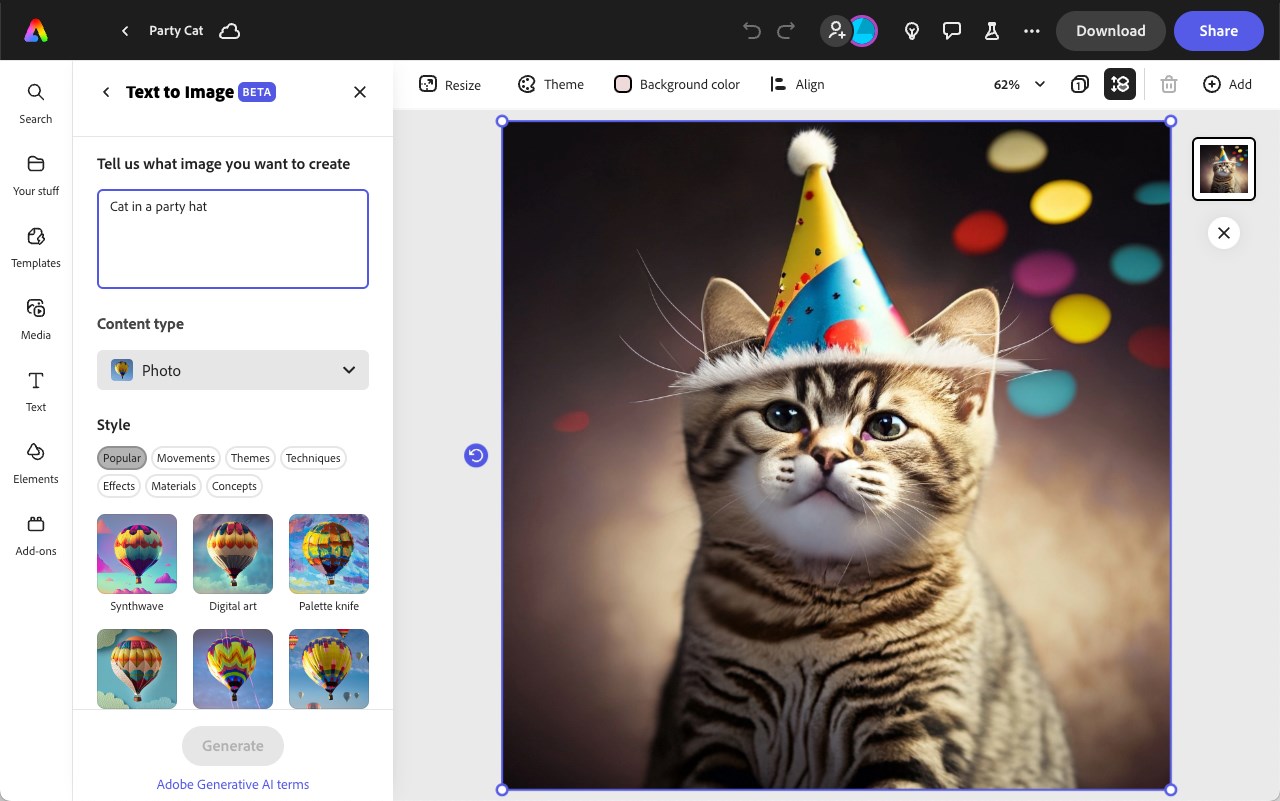
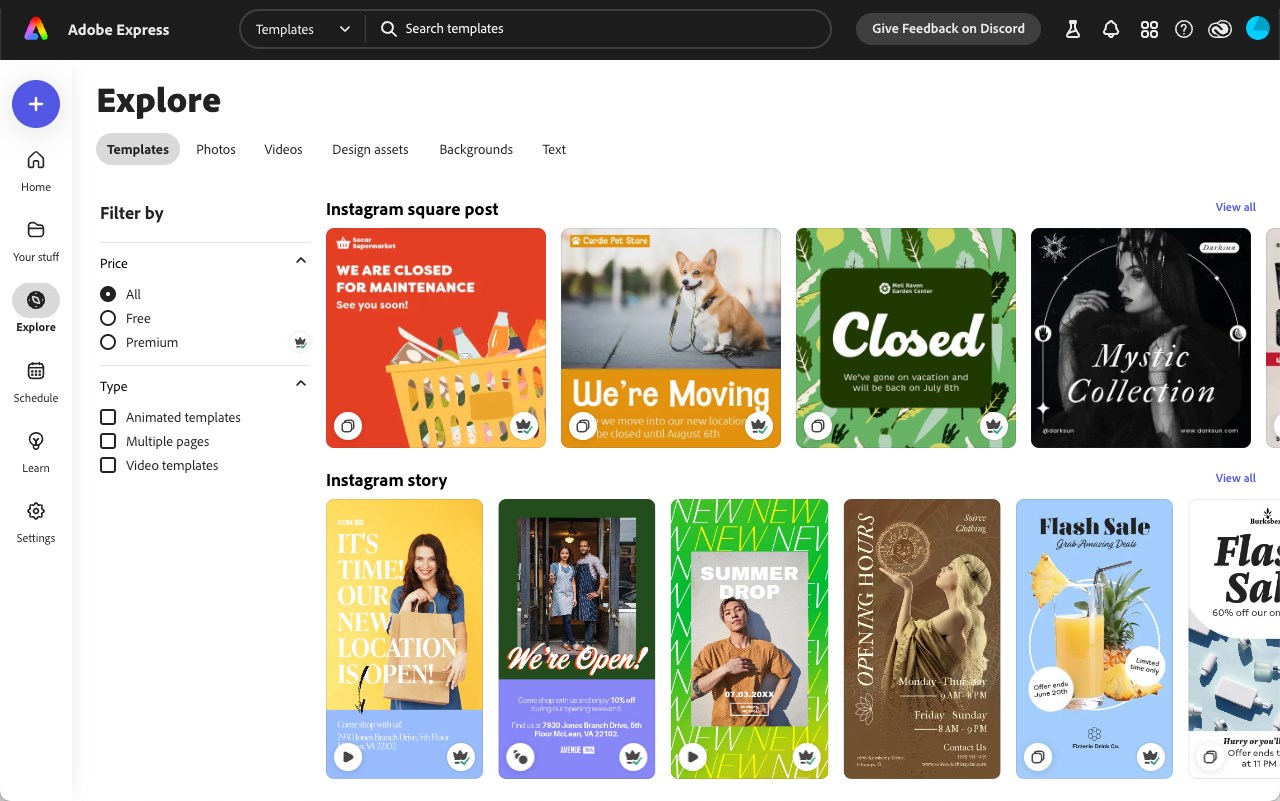
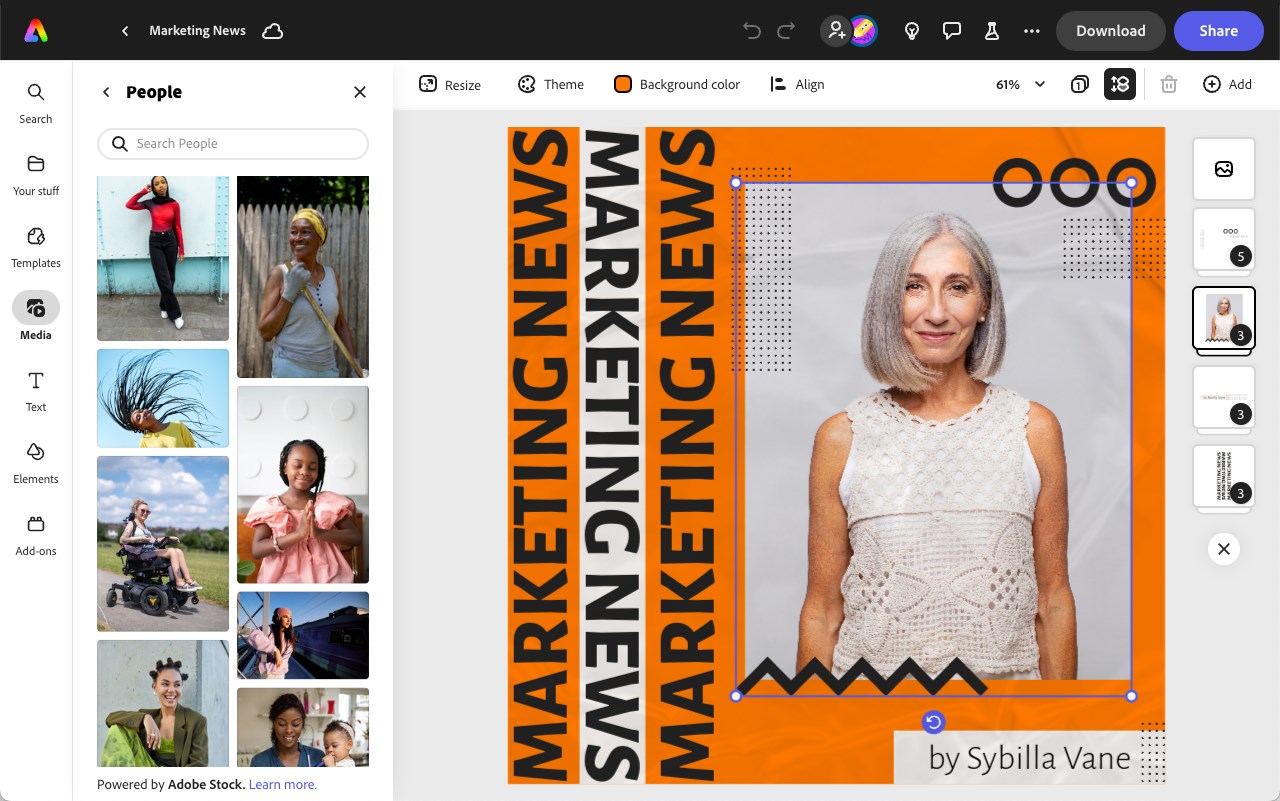
The heart of Adobe Express lies in its abundant template library, which caters to a wide variety of project types. The templates are thoughtfully categorized—social posts, flyers, logos, and presentations—and are easily customizable to fit your brand or personal style. The asset library, enriched with stock photos, icons, and fonts, empowers users to craft visually engaging content rapidly without needing sophisticated design skills.
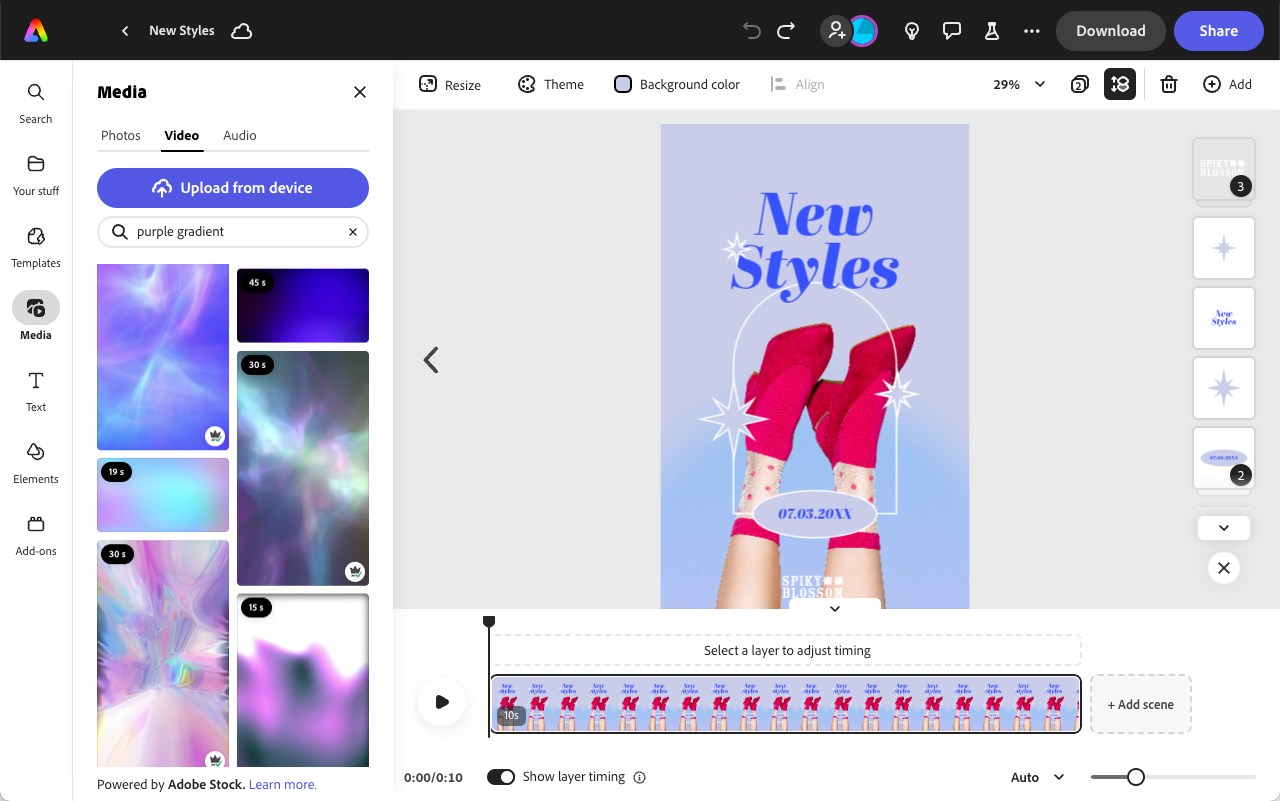
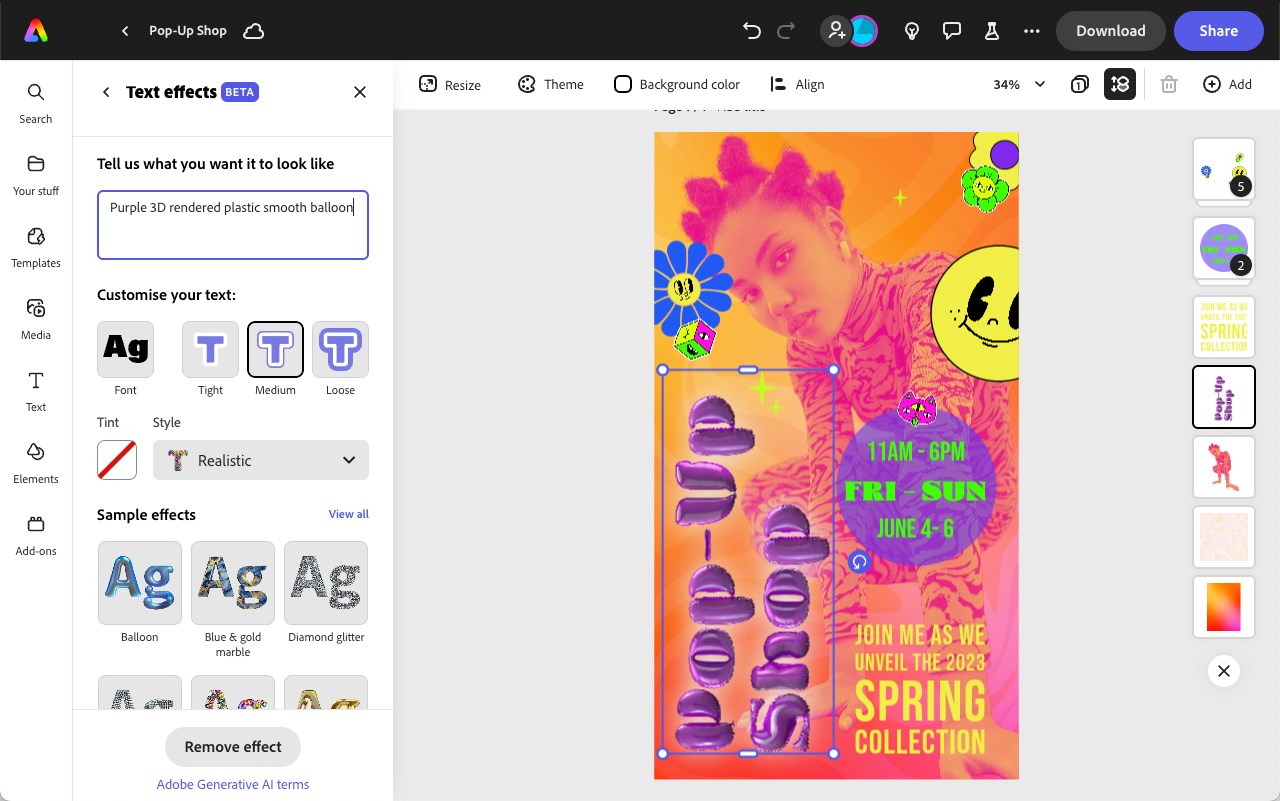
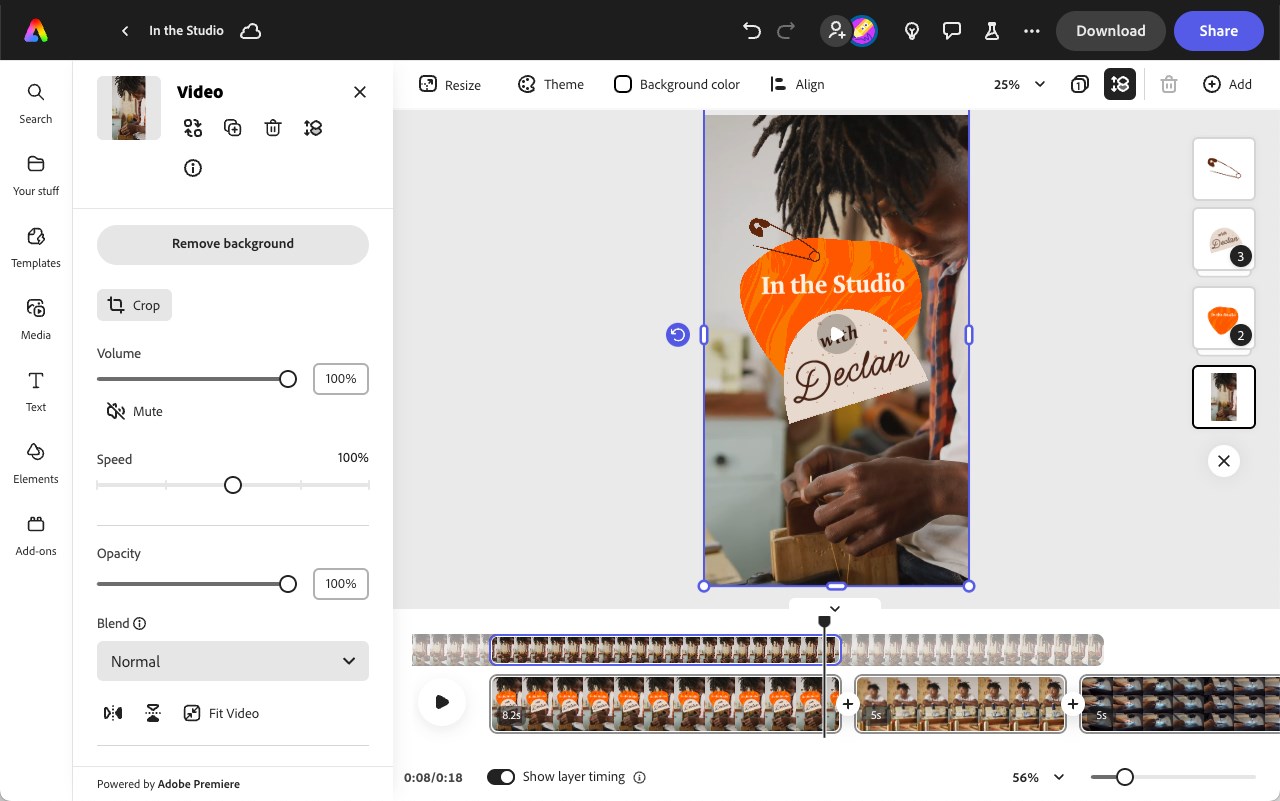
The standout feature here is the intelligent design suggestions that help automate layout adjustments, font pairing, and color harmony. This reduces technical barriers and makes professional-looking results attainable for users without formal design training. The drag-and-drop interface is smooth, responding swiftly to user inputs, and the wide range of editing options ensures that you have control over every element of your design.
One of the app's shining differences from competitors is its seamless integration with Adobe's Creative Cloud ecosystem. Users can effortlessly import assets from their cloud library or export finished projects directly to other Adobe apps like Photoshop or Lightroom. Offline mode complements this connectivity, providing flexibility for working in environments with limited internet access. Automatic cloud syncing ensures your latest edits are always up to date, whether on your PC or other devices.
The interface of Adobe Express is clean and modern, mirroring the intuitive simplicity of popular social media platforms. While the layout is visually appealing, it's also thoughtfully organized, enabling quick navigation between templates, editing tools, and export options. The learning curve is gentle; new users can produce polished designs within minutes, yet experienced users will appreciate the depth of customization available.
Unlike other multimedia design apps that often target advanced users with complex interfaces and options, Adobe Express strikes a commendable balance between simplicity and power. Its primary distinction is the smart automation features—particularly the automatic layout and style suggestions—that help users achieve professional-looking results with minimal effort. Additionally, its deep integration with Adobe's cloud services offers a smoother workflow for existing Adobe users, making it an attractive option for those already within the Adobe ecosystem.
I'd recommend Adobe Express for Windows to anyone seeking a straightforward yet capable design tool for quick projects—be it social media content, marketing materials, or personal creative ventures. Its especially innovative features, like automatic style suggestions and cloud collaboration, make it stand out from the crowd. For best results, start with the templates and customize them to your liking, then explore the automation tools to enhance your workflow.
In summary, Adobe Express is like a friendly co-pilot—ready to assist you in crafting beautiful visuals without the steep learning curve. Whether you are a creative beginner or a busy professional, this app offers a balanced, accessible platform to elevate your design projects efficiently and effectively.
User-Friendly Interface
Wide Range of Templates
Extensive Asset Library
Cloud Integration
Cross-Platform Accessibility
Limited Free Features
Occasional Slow Loading
Limited Export Options
Basic Editing Features
Occasional Bug Reports

for Windows
 4.8
4.8

for Windows
4.8

for Windows
4.7

for Windows
4.7

for Windows
4.6

for Windows
4.6

for Windows
4.6

for Windows
4.6

for Windows
4.5

for Windows
4.5

for Windows
4.5

for Windows
4.5

for Windows
5

for Windows
5

for Windows
5

for Windows
5

for Windows
5

for Windows
5

for Windows
5

for Windows
5

for Windows
5

for Windows
5