Lifestyle
0.0
0.05B
3.7
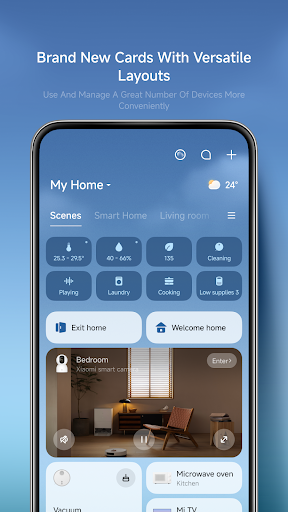
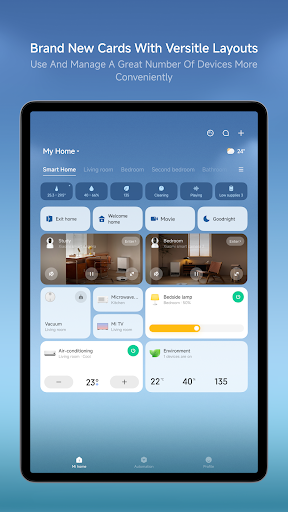
Xiaomi Home is a comprehensive lifestyle mobile app designed to help you manage and control your Xiaomi smart devices effortlessly. Available for both Android and iOS devices, Xiaomi Home serves as the central hub for all your smart home needs. Whether you have smart lights, security cameras, or other connected gadgets, this app allows you to monitor and customize your devices with ease. It's recognized for its user-friendly interface and reliable performance, making it a popular choice among those looking to create a connected living environment.
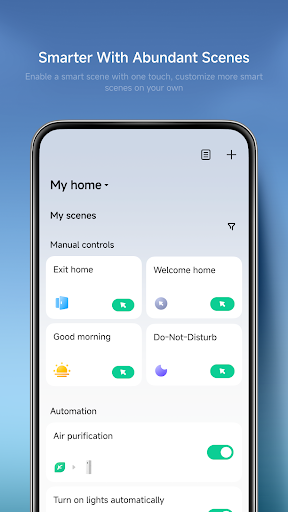
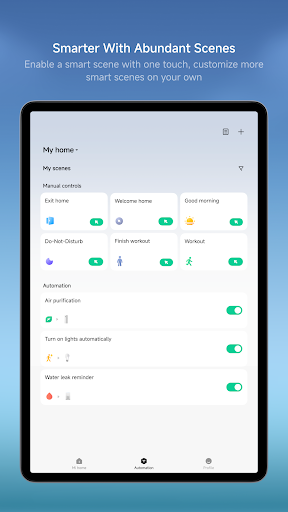
The primary purpose of Xiaomi Home is to offer a seamless app experience that integrates various Xiaomi smart products into one convenient platform. The app features include real-time device monitoring, automation routines, and remote control functionalities. As a launcher app for your smart home setup, Xiaomi Home ensures that managing your devices is straightforward. Its intuitive design and robust app-based solution help users optimize their smart home ecosystem, whether at home or on the go. The app features are continually updated to enhance user experience and expand compatibility with new Xiaomi products, establishing it as a trustworthy and essential tool for smart device management.
If you're someone who loves smart technology and enjoys automating your living space, the Xiaomi Home app is perfect for you. It caters to a wide demographic, including tech-savvy homeowners, busy professionals, and even property managers looking for efficient ways to oversee multiple smart devices. Whether you are just starting with smart home systems or already have an array of connected gadgets, this Android app provides a reliable and user-friendly platform that enhances your overall app experience.
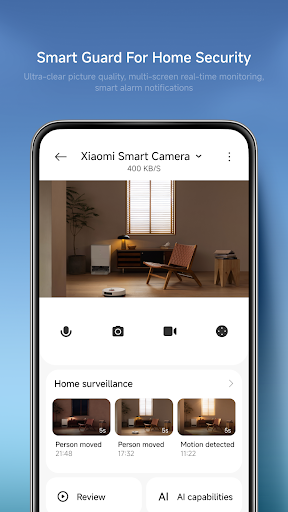
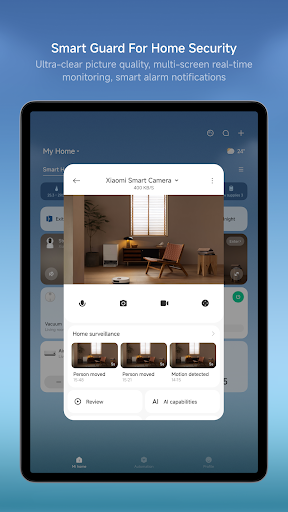
For those seeking an app-based solution to streamline everyday tasks, Xiaomi Home offers an easy way to control lighting, security cameras, and climate settings with minimal fuss. If you're someone who values convenience and security, this mobile app allows you to automate routines or get instant alerts, making your home safer and more comfortable. The app is particularly useful for individuals managing multiple smart devices, as it centralizes control and reduces the need for separate apps or complex setups, all within an accessible, well-designed interface.
Choosing Xiaomi Home means opting for an app that combines reliability, comprehensive features, and a strong focus on user security. Its paired app features deliver a smooth app experience that makes managing your smart devices straightforward and enjoyable. Unlike some alternatives, Xiaomi Home's extensive device compatibility and automation capabilities allow you to create a truly connected home environment that adapts to your lifestyle. Whether controlling thermostats, lighting, or security cameras, this app provides seamless integration that enhances your daily routines.
What sets Xiaomi Home apart is its depth of features designed specifically for convenience and safety. The app solves common problems like fragmented device management by offering a unified platform, reducing the complexity often associated with smart home systems. Its emphasis on security, including encrypted connections and user authentication, builds trust with users who value privacy. Additionally, the app's regular updates and dedicated support reflect Xiaomi's commitment to providing a dependable and innovative app experience. When looking for an Android app that delivers both functionality and peace of mind, Xiaomi Home stands out as a smart choice in the smart home ecosystem.
Intuitive User Interface
Wide Device Compatibility
Automated Routines
Remote Control Capabilities
Frequent Firmware Updates
Slow Device Discovery
Limited Customization for Notifications
Occasional Connectivity Drops
Inconsistent Firmware Rollout
Limited Multi-Device Management

Lifestyle
3.4
Lifestyle
3.7

Lifestyle
4.8

Lifestyle
4.5

Lifestyle
4.8

Lifestyle
4.8

Lifestyle
4.8

Lifestyle
4.7

Lifestyle
4.6

Lifestyle
4.8

Lifestyle
4.6

Lifestyle
4.7

Social
4.7

Shopping
4.7

Social
4

Personalization
3.9

Productivity
4.9

Video Players & Editors
4.6

Social
4.3

Communication
4.7

Entertainment
4.7

Communication
4.5