Communication
0.0
0.05B
4.4
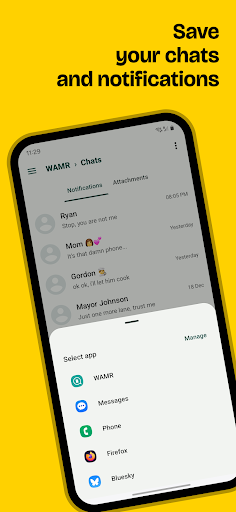
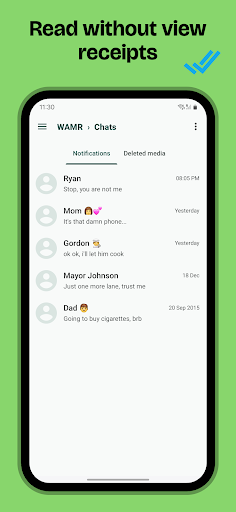
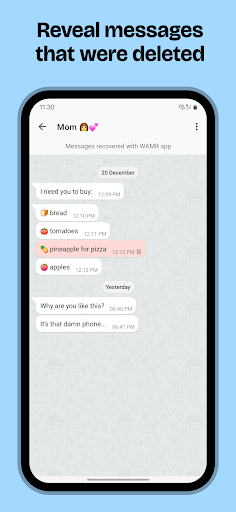
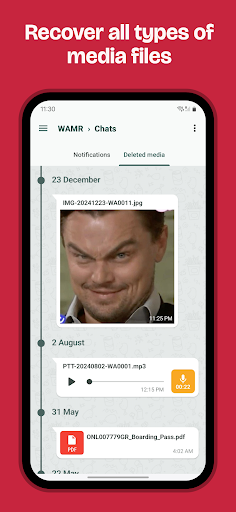
WAMR: Reveal deleted messages! is a handy mobile app designed for those who want to stay in the loop with their messaging platforms. It is primarily available for Android devices and falls under the communication category. The app aims to help users recover and view messages that have been deleted by the sender, providing a new level of transparency in your messaging experience. WAMR is known for its simple interface and straightforward functionality, making it accessible even for those who aren't tech-savvy.
This Android app offers a valuable app-based solution for anyone looking to enhance their messaging experience. With key features like message recovery and notification alerts for deleted messages, WAMR enables you to see what was removed. It works effectively as a launcher app that integrates seamlessly with your existing messaging apps. By providing real-time notifications and easy access to recovered messages, WAMR enhances your overall communication capabilities and keeps you better informed in your daily conversations.
This mobile app is especially beneficial for individuals who rely heavily on messaging apps for personal or professional communication. If you're someone who wants to keep track of conversations or occasionally misses important information due to message deletions, this Android app is designed for you. It caters to users of all ages, from young adults to seniors, who need a reliable app-based solution to manage and recover their messages efficiently.
Many users who are active on messaging platforms like WhatsApp or Messenger will find WAMR particularly useful in various scenarios. For instance, if you're in a business setting, recovering a deleted client message can be crucial. Parents concerned about their children's messaging activity might also use this app to monitor conversations discreetly. It's an ideal option for people who value transparency and want an app experience that offers more control over their messaging data, making WAMR a handy tool for everyday communication management.
Choosing WAMR: Reveal deleted messages! as your go-to app makes sense if you're looking for a trustworthy and efficient app-based solution to manage your communication better. Unlike many generic messaging tools, WAMR stands out by offering the ability to recover and view deleted messages, turning what was once a limitation into an advantage. Its key app features are designed to enhance your app experience by providing instant access to messages that might otherwise be lost, helping you stay informed and in control.
What makes WAMR a better choice than other apps is its focus on privacy and reliability. The app uses secure backup mechanisms to ensure your message data is protected while giving you the power to access deleted content safely. Whether you're worried about missing important details or just want a comprehensive messaging app experience, WAMR offers an intuitive interface and a suite of features that address common frustrations with messaging apps. Its effectiveness as an Android app tailored for recovery and notification alerts makes it a standout option among many similar solutions, ultimately helping you regain confidence in your messaging routine while maintaining your privacy.
User-friendly interface
Real-time message recovery
Supports multiple messaging apps
No need for root or jailbreak
Lightweight app size
Limited message preview before recovery
Possible false positives
Dependence on message deletion timing
Compatibility issues with certain devices or OS versions
Potential privacy concerns

Communication
3.5

Communication
4.2

Communication
4.7

Communication
4.6

Communication
4.7

Communication
4.7

Communication
4

Communication
4.3

Communication
4.7

Communication
3.8
Communication
4.4

Communication
4.6

Social
4.7

Shopping
4.7

Social
4

Personalization
3.9

Productivity
4.9

Video Players & Editors
4.6

Social
4.3

Communication
4.7

Entertainment
4.7

Communication
4.5