

Auto & Vehicles
0.0
0.50M
4.5
ThinkDiag+ is a comprehensive mobile app designed specifically for vehicle owners and automotive professionals. It falls under the auto & vehicle category and provides a powerful platform to diagnose, monitor, and understand vehicle health using your smartphone. Whether you're a casual car owner or a mechanic, ThinkDiag+ transforms your Android app into a versatile diagnostic tool, making vehicle maintenance more accessible and simple. Its interface is user-friendly, allowing even beginners to navigate the features with ease while offering advanced options for experienced users.
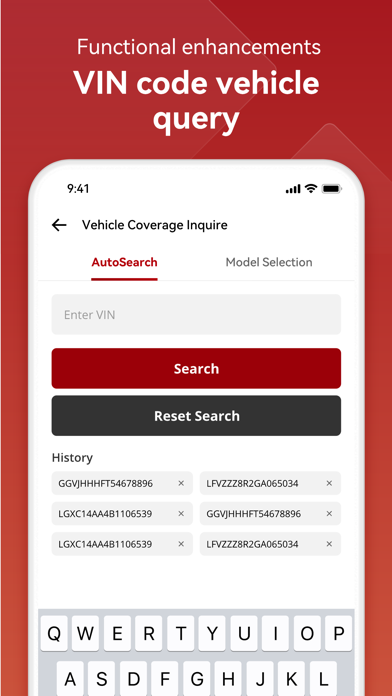
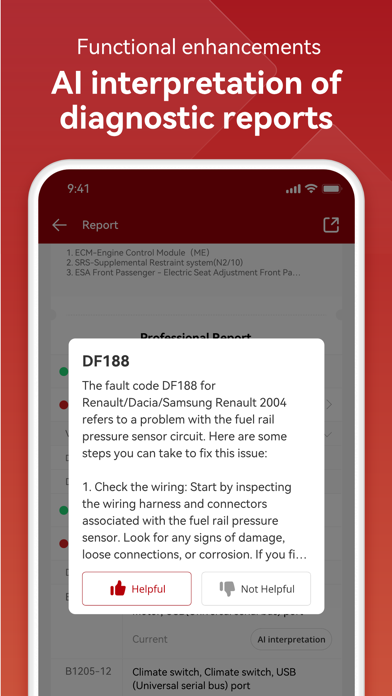
The primary purpose of ThinkDiag+ is to deliver an app experience centered around vehicle diagnostics and repair support. It supports a wide range of car brands and models, enabling you to perform detailed scans, read and clear error codes, and keep track of vehicle data. The app features include live data viewing, parameter analysis, and maintenance reminders, making it a reliable app-based solution for vehicle troubleshooting. Thanks to its compatibility with both Android and iOS devices, ThinkDiag+ is ideal as a launcher app for automotive diagnostics on the go, offering detailed insights directly from your mobile device.
ThinkDiag+ is designed for car owners, automotive technicians, and DIY enthusiasts who want to get detailed insights into their vehicle's health using a reliable mobile app. Whether you're a professional working in a garage or a dedicated car hobbyist, this app-based solution offers the tools you need to diagnose and troubleshoot issues effectively. Its user-friendly interface makes it accessible even to those new to vehicle diagnostics, while its extensive features appeal to experienced users looking for a comprehensive diagnostic tool.
If you're someone who frequently works on vehicles, whether for routine maintenance or complex repairs, ThinkDiag+ provides a practical solution to monitor, diagnose, and maintain your cars efficiently. It's especially useful for users who prefer to perform diagnostics on the go, thanks to its support for Android app features and compatibility with multiple vehicle brands. This app helps simplify the diagnostic process, saving time and money, making it a valuable tool for professional workshops and dedicated car owners alike. Its app experience makes vehicle health checks more accessible and less intimidating for everyday users.
Choosing ThinkDiag+ means opting for a reliable and technologically advanced app that delivers a comprehensive diagnostic experience. Unlike many generic mobile apps, ThinkDiag+ focuses on providing detailed, accurate app features that cater to both amateur and professional users. Its ability to decode and reset error codes across numerous vehicle brands makes it stand out in the crowded field of automotive diagnostic tools. The app offers real-time data analysis, enabling users to understand their vehicle's condition without needing fancy hardware or expensive equipment.
What makes ThinkDiag+ a smarter choice is its combination of depth and usability. It addresses common user problems such as difficulty interpreting vehicle faults or lacking a trusted app-based solution for diagnostics. By incorporating regular updates and extensive vehicle cover, the app ensures users stay current with the latest app features and vehicle compatibility. Its clear, straightforward app experience combined with its app features makes vehicle diagnostic tasks less complex and more efficient. For those seeking an Android app that reliably enhances vehicle maintenance routines, ThinkDiag+ is a well-equipped, trustworthy option.
Comprehensive vehicle coverage
User-friendly interface
Real-time data monitoring
Wide array of functionality
Regular updates and support
Limited advanced diagnostics for some luxury brands
occasional app stability issues
Display language options are limited
Battery consumption during extended use
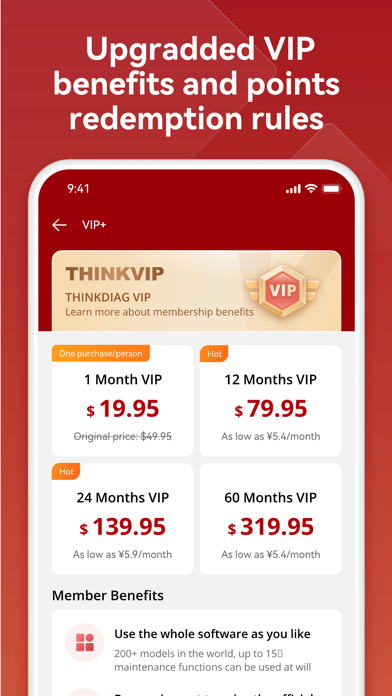
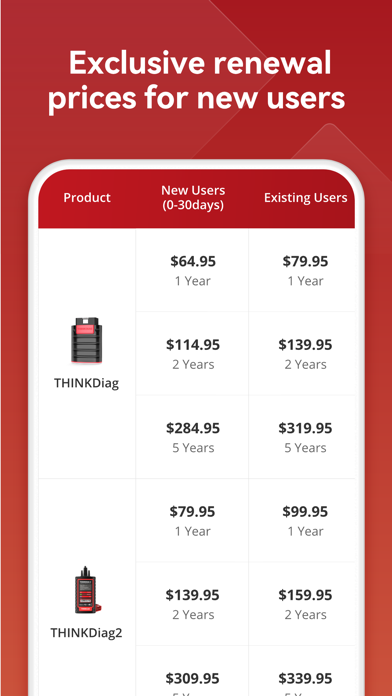
Some features may require a subscription

Auto & Vehicles
4.3

Auto & Vehicles
4

Auto & Vehicles
4.6

Auto & Vehicles
4.2

Auto & Vehicles
4.6

Auto & Vehicles
4.6

Auto & Vehicles
4.8

Auto & Vehicles
4.7

Auto & Vehicles
4.5

Auto & Vehicles
4.7

Auto & Vehicles
4.1

Auto & Vehicles
3.9

Social
4.7

Shopping
4.7

Social
4

Personalization
3.9

Productivity
4.9

Video Players & Editors
4.6

Social
4.3

Communication
4.7

Entertainment
4.7

Communication
4.5