Libraries & Demo
0.0
0.50M
4.1
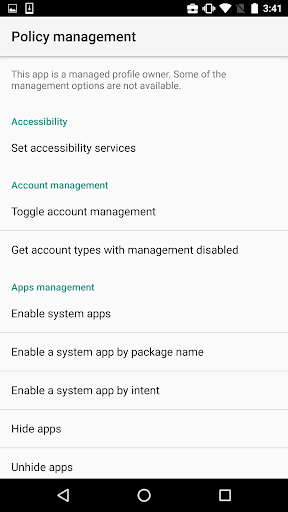
Test DPC is a versatile mobile app designed to help developers and IT professionals manage device policies and configurations on Android devices. As part of the Libraries & Demo category, this app provides a solid foundation for testing device policy controller (DPC) functionalities. Whether you're working on enterprise solutions or testing device management features, Test DPC offers a practical way to experiment with different scenarios in a controlled environment.
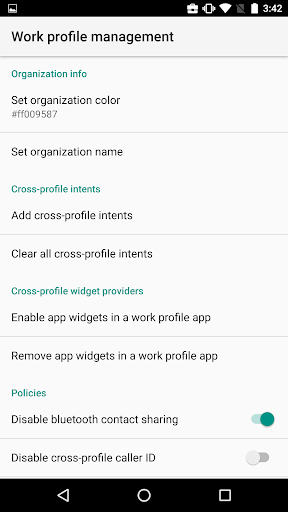
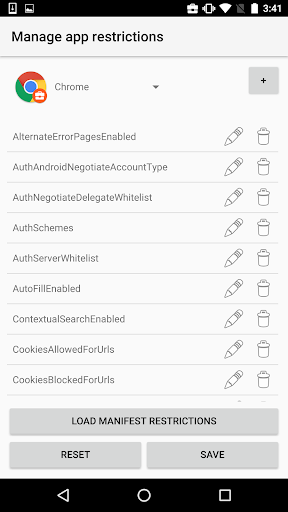
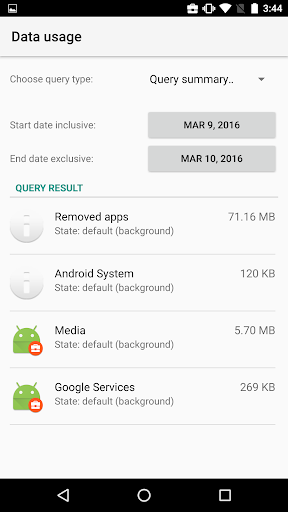
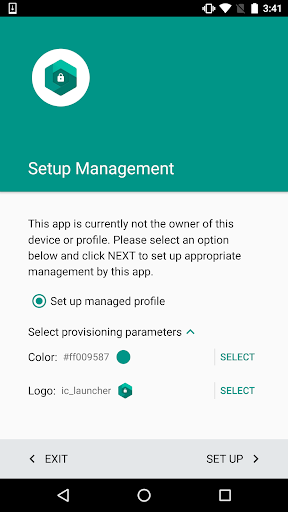
The primary purpose of Test DPC is to serve as an app-based solution for testing Android's device management capabilities. It features comprehensive options for simulating enterprise device provisioning, policies, and security configurations. Use Test DPC to explore how different app features can enhance your overall app experience and to ensure your Android app integrates smoothly with device management protocols. Its straightforward interface and reliable performance make it a valuable tool for developers seeking to optimize their Android app workflows.
This Android app is designed primarily for tech enthusiasts, developers, and organizations that need a reliable and flexible app-based solution for managing device profiles and policies. If you're someone who manages multiple Android devices or explores app development, Test DPC offers a straightforward way to test Device Policy Controller features within a secure environment. It's also suitable for IT professionals who want a user-friendly platform to enforce compliance and security protocols in their workflows. Whether you're managing a few devices or a fleet of phones, this Android app provides the tools necessary for effective device administration.
Individuals looking for a practical app experience that simplifies device management or testing policies will find Test DPC especially helpful. It supports scenarios such as developing enterprise apps, configuring work profiles, or simulating device environments for app testing. Educators using Android devices for classroom activities, or businesses implementing BYOD policies, can leverage this app as a core component of their device management strategy. Overall, Test DPC is an ideal choice when an efficient, secure, and customizable app-based solution is needed to streamline device configurations and policy enforcement in real-world situations.
Choosing Test DPC means selecting an Android app that combines reliability, security, and versatility for device management and testing purposes. Unlike many generic launcher apps or testing tools, Test DPC provides detailed app features designed specifically for professionals who need to simulate enterprise environments or enforce device policies. Its intuitive interface and robust security measures make it a trusted option for organizations seeking an app-based solution that simplifies complex tasks. The app experience it offers is deeply rooted in practical functionality, ensuring users can confidently manage multiple devices with ease.
What sets Test DPC apart from other similar apps is its focus on accuracy and flexibility. It allows users to define custom device policies, troubleshoot issues efficiently, and simulate different management scenarios—all within a safe testing environment. This makes it stand out as a preferred choice for developers, IT admins, and organizations aiming for enterprise-level control without sacrificing user-friendly design. In today's fast-paced tech landscape, having a trusted app like Test DPC ensures your device management needs are met with professionalism and expertise, making it an essential component of any Android app-based solution suite.
User-friendly Interface
Comprehensive Testing Options
Accurate Results
Real-time Monitoring
Regular Updates
Limited Compatibility
High Battery Consumption
Requires Technical Knowledge
UI Localization
Limited Customer Support

Libraries & Demo
3.2

Libraries & Demo
4.6

Libraries & Demo
4.5

Libraries & Demo
3.8

Libraries & Demo
4.1

Libraries & Demo
3.9

Libraries & Demo
4.3

Libraries & Demo
3.5

Libraries & Demo
4.2

Libraries & Demo
4.2

Libraries & Demo
3.9

Libraries & Demo
4.8

Social
4.7

Shopping
4.7

Social
4

Personalization
3.9

Productivity
4.9

Video Players & Editors
4.6

Social
4.3

Communication
4.7

Entertainment
4.7

Communication
4.5