Business
0.0
5.00M
3.7
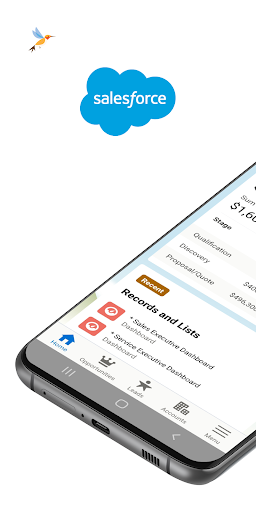
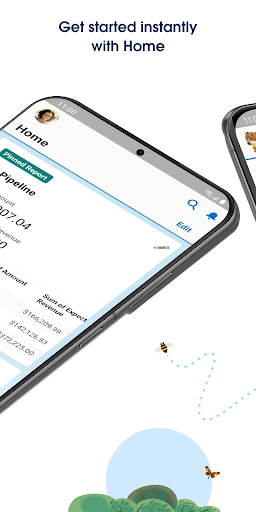
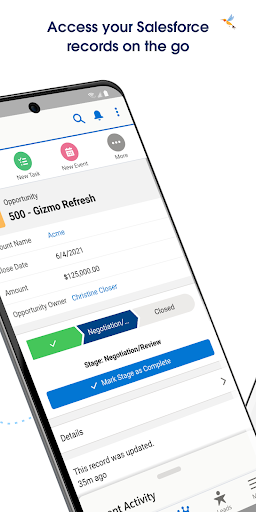
Salesforce is a widely used business-oriented mobile app designed to help organizations manage customer relationships more effectively. It's available as an Android app, making it accessible on smartphones and tablets, and it serves as a key tool for sales teams, customer service representatives, and marketing professionals. The Salesforce app provides users with instant access to critical business data, so they can stay connected with clients and colleagues no matter where they are. Whether you're in the office or on the go, this app enables seamless communication and real-time updates, contributing to a more efficient workflow.
The app features include comprehensive contact management, activity tracking, and access to sales dashboards, all designed to streamline your app experience. As a core component of Salesforce's app-based solution, it integrates deeply with other CRM and enterprise tools, giving users a unified platform for their business needs. Its intuitive interface, combined with robust app features, makes this mobile app a popular choice for organizations seeking a reliable launcher app to boost productivity and improve customer engagement. Salesforce continues to evolve as a trusted tool, enabling teams to work smarter and stay organized regardless of their location.
This Salesforce app is designed primarily for sales professionals, customer service teams, and business managers who need a reliable app-based solution to manage their contacts, leads, and customer relationships on the go. If you're someone who relies heavily on mobile devices to stay connected and handle your daily tasks, this mobile app offers a user-friendly interface tailored to your needs. From small business owners to large enterprise users, anyone looking for an efficient way to streamline their workflows will find this app beneficial.
Whether you're in the field, working remotely, or simply prefer a mobile approach to customer relationship management, the Salesforce app is a solid choice. It's ideal for scenarios like instant updates during client meetings, managing sales pipelines in real time, or collaborating with team members via integrated chat features. If your work depends on quick access to critical data or constant communication, this app-based solution helps improve overall productivity and keeps your work organized wherever you are.
Choosing Salesforce as your business app solution means opting for a platform with proven experience and a trusted reputation in the industry. The app's extensive app features deliver a versatile experience that adapts to various business needs, whether you're managing relationships or analyzing sales trends from your Android device. Its reputation for reliability and security makes it a trustworthy tool for handling sensitive information, so you can focus on your core tasks without concerns about data breaches or compatibility issues.
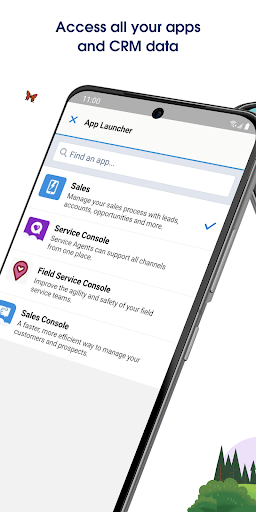
What makes Salesforce stand out from other apps in the same category is its deep integration capacity and the breadth of functionalities it offers within a single platform. The app provides a seamless app experience by combining CRM capabilities with mobile convenience, empowering users to be more productive while on the move. Its intuitive design minimizes the learning curve, and the continuous updates ensure it stays current with the latest app features and security standards. Overall, Salesforce delivers a comprehensive, secure, and user-centered app-based solution that helps organizations maximize their customer engagement and operational efficiency.
User-Friendly Interface
Customizable Platform
Robust Integration Capabilities
Advanced Analytics and AI Features
Scalability
High Cost
Complex Setup Process
Learning Curve
Limited Offline Access
Occasional Performance Lag

Business
4.5

Business
3.7

Business
4.6

Business
4.5

Business
2.6

Business
4.7

Business
4.6

Business
4.3

Business
3.9

Business
3.3

Business
4.5

Business
4.5

Social
4.7

Shopping
4.7

Social
4

Personalization
3.9

Productivity
4.9

Video Players & Editors
4.6

Social
4.3

Communication
4.7

Entertainment
4.7

Communication
4.5