

Travel & Local
0.0
5.00M
4.6
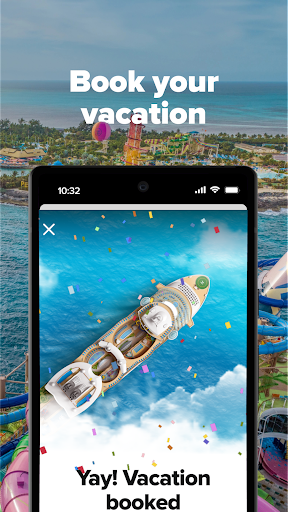
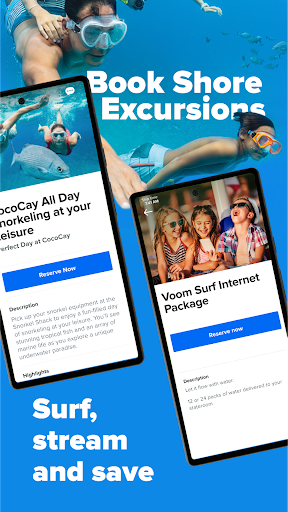
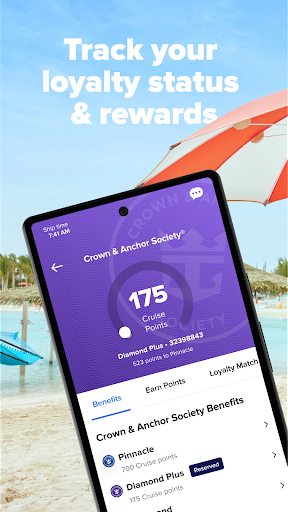
The Royal Caribbean International app is a dedicated mobile app designed for travelers who are planning or currently on a cruise with Royal Caribbean. Available on both the Android app store and the Apple App Store, this app provides a convenient way for passengers to manage their cruise experience from their smartphones. Whether you're at home or on board, the app offers a user-friendly way to access important information about your voyage, make reservations, and stay updated throughout your trip.
As a leading travel and local category app, Royal Caribbean International focuses on delivering an enhanced app experience by offering a variety of app features tailored for cruise guests. These include boarding information, daily activity schedules, shore excursion details, and the ability to communicate with crew members. This app-based solution is designed to make your cruise more enjoyable and stress-free, giving you easy access to everything you need in one seamless platform. Its intuitive design ensures that both first-time and seasoned cruisers can navigate the app effortlessly, making it a valuable tool for enhancing your overall travel experience with Royal Caribbean.
This mobile app appeals to both seasoned cruisers and first-time travelers who are looking for a reliable app-based solution to manage their vacation plans. It is especially useful for individuals aged 25 and above who prefer to handle their travel arrangements digitally rather than through traditional channels. Whether you're a solo traveler, a family planning a vacation, or part of a group booking, this app caters to diverse user needs and preferences, making your journey smoother and more organized.
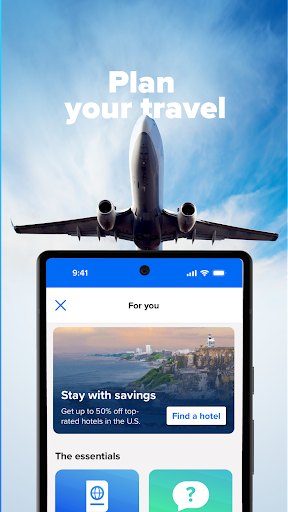
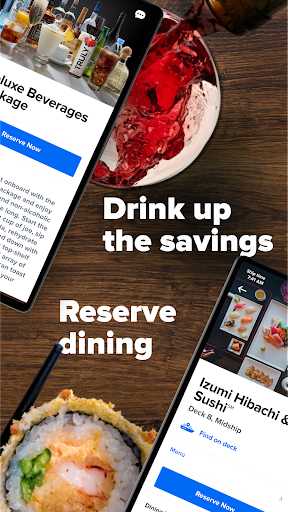
Many users turn to this app for planning and managing their cruise experiences, especially when they want instant access to key features like itinerary updates, onboard activities, and dining reservations. During their trips, travelers rely on the app for real-time information about port stops, excursions, or last-minute changes. Its ease of use and comprehensive app features make it the perfect companion for those who value convenience and efficiency while exploring new destinations on an Android device or through an app launcher setup.
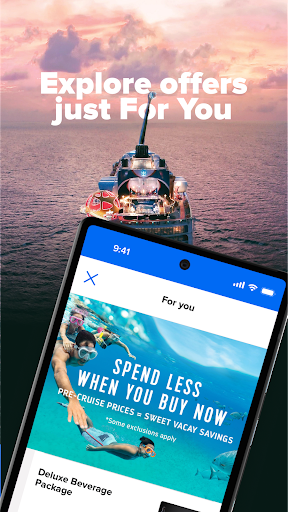
Choosing the Royal Caribbean International mobile app means opting for an app-based solution that enhances your cruise experience through intuitive features and reliable performance. Designed specifically to cater to travelers' needs, it offers a comprehensive suite of app features that streamline planning, booking, and onboard management. The app provides real-time itinerary updates, personalized notifications, and easy access to service requests, making your cruise more enjoyable and stress-free. Its smooth app experience on Android devices ensures that users can navigate effortlessly through various functions, whether planning before the trip or managing details during the cruise.
What sets the Royal Caribbean International app apart from other travel apps is its focus on delivering specific, tailored features for cruise passengers. With a secure platform that prioritizes trustworthiness, users feel confident managing their reservations and accessing onboard information in one convenient place. Its capability to serve as a launcher app on mobile devices ensures quick access to essential functions, saving time and reducing hassle. Overall, this app stands out by providing a trusted, top-tier app experience that truly understands the needs of modern travelers seeking a dependable app solution for their cruise adventures.
User-Friendly Interface
Real-Time Cruise Information
Personalized Itinerary Planning
Seamless Check-In Process
Integrated Excursion Bookings
Occasional App Crashes
Limited Multi-Device Synchronization
Navigation Difficulties in Certain Sections
Offline Access Limitations
Delayed Notifications for Excursions

Travel & Local
4

Travel & Local
4.8

Travel & Local
4.8

Travel & Local
4.6

Travel & Local
4.5

Travel & Local
4.8

Travel & Local
4.8

Travel & Local
4.1

Travel & Local
3.3

Travel & Local
4.7

Travel & Local
4.8

Travel & Local
4.7

Social
4.7

Shopping
4.7

Social
4

Personalization
3.9

Productivity
4.9

Video Players & Editors
4.6

Social
4.3

Communication
4.7

Entertainment
4.7

Communication
4.5