

Shopping
0.0
5.00M
4.7
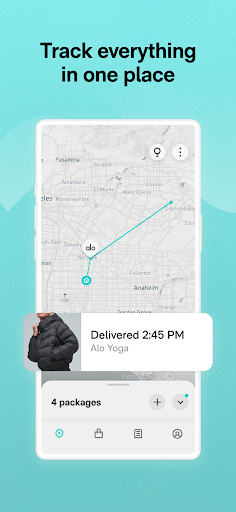
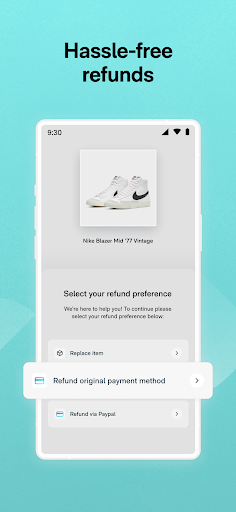
Route: Package Tracker is a user-friendly mobile app designed to help you keep tabs on your shipments with ease. Whether you order online frequently or just want to stay informed about your packages, this app offers a straightforward way to manage and track your deliveries. Available on both Android and iOS devices, Route: Package Tracker simplifies the tracking process by consolidating all your shipment information into one accessible platform.
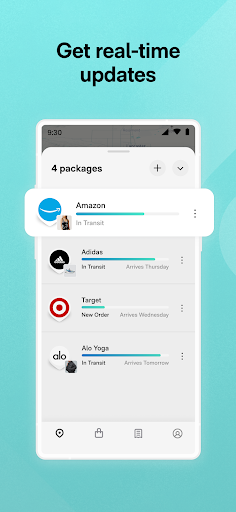
This Android app is packed with features that provide a seamless app experience. It allows you to add multiple packages, receive real-time updates, and view detailed tracking information without needing to visit multiple courier websites. Designed to be intuitive, the app's layout is easy to navigate, making it simple for users to get status updates and monitor deliveries at a glance. If you're looking for a reliable app-based solution to streamline your package management, Route: Package Tracker is a practical choice that combines efficiency with simplicity.
This app is ideal for busy individuals who frequently send or receive packages and need a reliable app-based solution to manage their deliveries. Whether you're a small business owner, a frequent online shopper, or someone who simply wants better control over their shipments, this mobile app offers an efficient way to stay informed and organized.
If you prefer an intuitive app experience that consolidates multiple courier services into one convenient platform, then this Android app is perfect. It's designed for users who value clarity and timely updates, especially those who appreciate features like offline access or detailed shipment histories. Whether you're tracking a single package or managing several at once, this app helps streamline the entire process, ensuring you never miss an update or delivery.
When selecting a package tracking app, reliability and ease of use are crucial. Route: Package Tracker stands out because it combines a robust set of app features with an easy-to-navigate interface, making it suitable for both tech-savvy users and those less familiar with tech. The app's real-time sync ensures you're always up-to-date with your shipments, an essential aspect of the overall app experience.
What makes Route: Package Tracker a preferred choice over other options is its comprehensive approach to tracking—supporting numerous couriers, offering delivery estimates, and providing detailed shipment histories. Its focus on security and privacy builds trust, while its ability to function as an app-based solution means you can manage your deliveries anytime, anywhere. This combination of features and reliability makes it a top contender for anyone seeking a dependable mobile app for package management.
Real-time tracking updates
User-friendly interface
Multiple carrier support
Push notifications
Package scans and history logs
Limited offline functionality
Occasional sync delays
Customization options are limited
No in-app customer support chat
Occasional app crashes on older devices

Shopping
4.3

Shopping
4.7

Shopping
4.4

Shopping
4.7

Shopping
4.7

Shopping
4.4

Shopping
4.4

Shopping
4.6

Shopping
4.8

Shopping
4.7

Shopping
4.8

Shopping
4.7

Social
4

Shopping
4.5

Social
4

Personalization
3.9

Productivity
4.8

Video Players & Editors
3.5

Social
4.3

Communication
4.7

Entertainment
3.9

Communication
4.2