Events
0.0
0.50M
4.6
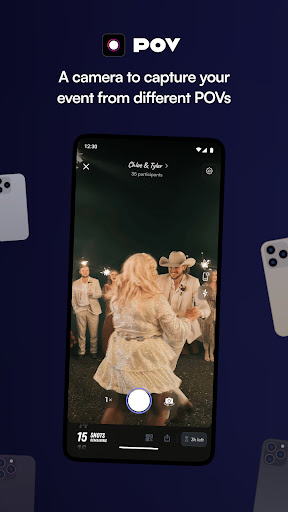
POV – Disposable Camera Events is a mobile app designed to bring the nostalgic feel of disposable film cameras into the digital age. Available on both Android and iOS, this app lets you capture moments with a classic touch, giving your photos a vintage, film-like quality. Whether you're planning a special event or just want to add a unique vibe to your everyday photos, POV – Disposable Camera Events offers an easy and fun way to do so, making it popular among users looking for creative app-based solutions for photography. Its simple interface and themed filters make it accessible for everyone, from casual users to photography enthusiasts.
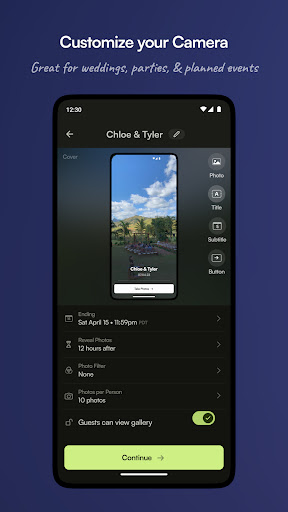
The core purpose of POV – Disposable Camera Events is to provide an authentic disposable camera experience through a user-friendly mobile app. The app features include customizable filters, light leak effects, and the ability to shoot with virtual “film rolls,” which replicate the look and feel of traditional disposable cameras. It also offers options to share your photos directly from the app or save them to your device, making it a versatile tool for capturing memories at events like parties, weddings, or outings. Overall, POV – Disposable Camera Events aims to deliver an engaging app experience by combining nostalgic photography with modern convenience, making it a standout in the category of camera apps and launcher apps designed for fun and creative expression.
This app is particularly beneficial for event organizers, photography enthusiasts, and anyone who enjoys capturing moments in a nostalgic, vintage style. If you prefer a simple, hassle-free way to document events without the complexity of traditional camera apps, POV – Disposable Camera Events is an ideal choice. Its straightforward design makes it accessible for all ages, from teens to seniors, who want to relive or create new memories effortlessly.
In addition, this app-based solution appeals to social media users looking for a distinctive, retro aesthetic for their posts. Whether you're hosting a wedding, a birthday party, or a casual get-together, the app helps you quickly turn moments into tangible memories. Its ease of use and focus on fun, authentic photo experience make it a go-to for anyone wanting that classic disposable camera feel with modern convenience.
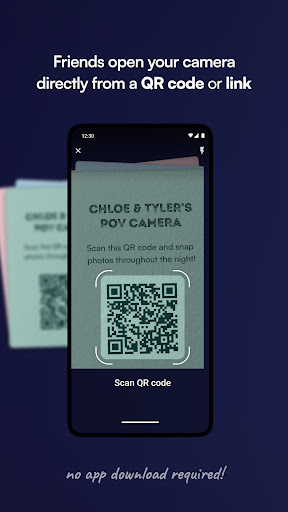
Choosing POV – Disposable Camera Events means opting for a reliable, engaging app experience that combines nostalgia with modern technology. Unlike other camera apps, it emphasizes authenticity by providing a disposable camera-style interface, allowing users to capture moments in a way that feels both fun and genuine. The app features are designed to enhance your event experience, making photo-taking simple, accessible, and enjoyable. It also acts as an app-based solution that requires no complex setup, ensuring that you can focus on the moment rather than technical difficulties.
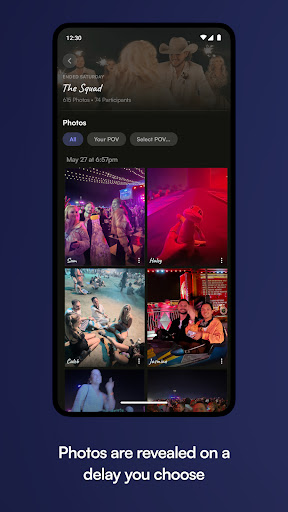
What sets POV – Disposable Camera Events apart from similar apps is its strong commitment to delivering a seamless app experience. It leverages high-quality app features like offline access, real-time filters, and gallery management to stand out in the crowded space of photo apps. Whether you're using it on an Android app or an iOS device, you can trust this mobile app to preserve your memories in a fun, easy, and trustworthy way. Its combination of usability, creative tools, and reliability makes it a compelling choice for anyone seeking an authentic, retro photo experience during special occasions or everyday moments.
Intuitive interface
Customizable photo filters
Automatic photo organization
Easy sharing options
Event planning features
Limited editing tools
Occasional lag during photo uploads
No offline access to events
Limited customization for event invitations
Occasional app crashes with large photo sets

Events
4.7

Events
4.2

Events
4.8

Events
4.8

Events
4.9

Events
4.4

Events
4.5
Events
4.6

Events
4.7

Events
4.1

Events
4

Events
4.5

Social
4.7

Shopping
4.7

Social
4

Personalization
4

Productivity
4.9

Video Players & Editors
4.6

Social
4.3

Communication
4.7

Entertainment
4.7

Communication
4.5