

Tools
0.0
5.00M
3.8
Phone File Recovery is a dedicated mobile app designed to help you recover deleted or lost files from your Android device. As a practical tool in the Tools category, this app offers a straightforward solution for users who may have accidentally deleted important photos, videos, contacts, or documents. Its user-friendly interface ensures that even those with minimal technical knowledge can navigate and utilize its features effectively. Phone File Recovery emphasizes providing a trusted and safe environment for your data recovery needs, making it a reliable addition to your collection of Android apps.
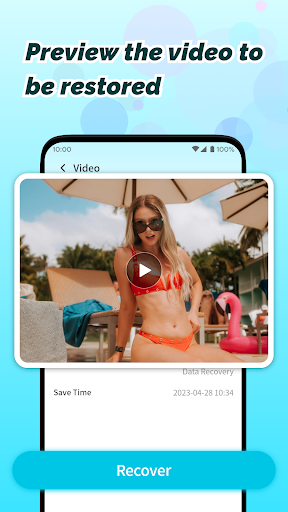
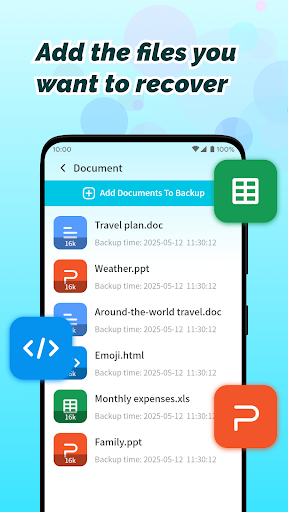
The primary purpose of Phone File Recovery is to offer an app-based solution for restoring valuable files with ease. The app features a comprehensive scan system that searches for recoverable data from your device's storage or SD card, and then allows you to preview and select what you want to restore. Its real-time recovery options, combined with an intuitive layout, make the app's experience both efficient and accessible. Whether you're looking to retrieve photos after an accidental delete or recover documents lost due to app crashes, Phone File Recovery aims to deliver a dependable and seamless app experience tailored to Android users.
This mobile app is ideal for Android users who frequently manage important data on their devices. Whether you're a student, a professional, or someone who values personal photos and videos, this app provides a reliable solution to recover lost files. Its user-friendly design makes it accessible for people of different ages and technical skill levels, offering an intuitive experience for all users seeking an effective app experience.
If you've accidentally deleted files or experienced data loss due to system crashes, this app-based solution is perfect for you. It's especially useful for individuals who need quick recovery without complicated procedures, such as when they are on the go or have limited access to desktop software. Whether recovering data from an SD card, internal storage, or external device, this Android app is designed to handle diverse scenarios, helping users restore essential files seamlessly.
Choosing Phone File Recovery means opting for a trusted and efficient app that stands out among other data recovery options. Its core value proposition lies in providing a comprehensive app experience tailored for Android devices, combining powerful app features with simplicity. Unlike many generic tools, this app offers real-time scanning, preview capabilities, and a secure environment, making it a top choice for users who want an app-based solution to data loss issues.
What makes Phone File Recovery different is its focus on user trust and data security, backed by years of experience in file recovery tools. Its app features are optimized to deliver fast, reliable results, minimizing frustration and downtime. Whether you're recovering an important business document or personal memories, this Android app is designed to solve your problems effectively. Its ability to work offline and support various file types ensures it remains a dependable option in many real-world scenarios, making it a standout among other data recovery apps available today.
User-Friendly Interface
Supports Multiple File Types
Effective Deep Scanning Mode
Preview Functionality Before Recovery
High Recovery Success Rate
Slow Scanning Speed
Limited Free Usage
Occasional False Positives
Compatibility Issues with Certain Devices
Inconsistent Recovery of Overwritten Files

Tools
4.8

Tools
4.8

Tools
4.6

Tools
4.7

Tools
4.8

Tools
4.5

Tools
4.6

Tools
4.4

Tools
4.4

Tools
4.6

Tools
4.4

Tools
4.4

Social
4.7

Shopping
4.7

Social
4

Personalization
3.9

Productivity
4.9

Video Players & Editors
4.6

Social
4.3

Communication
4.7

Entertainment
4.7

Communication
4.5