

Tools
0.0
5.00M
4.3
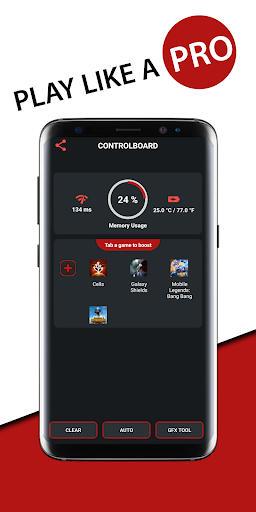
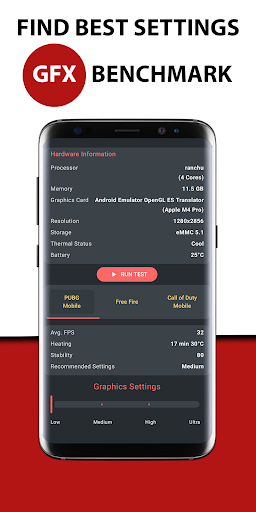
Game Booster Fire GFX- Fix Lag is a mobile app designed for gamers who want to improve their gaming experience on Android devices. It works as a powerful tool that optimizes your phone's performance specifically for gaming, helping to reduce lag and boost frame rates. This app is particularly popular among players who seek to enjoy smoother gameplay without interruptions, making it a valuable addition to any gaming setup. With its user-friendly interface, Game Booster Fire GFX makes it easy for both casual and serious gamers to enhance their gaming sessions without technical hassle.
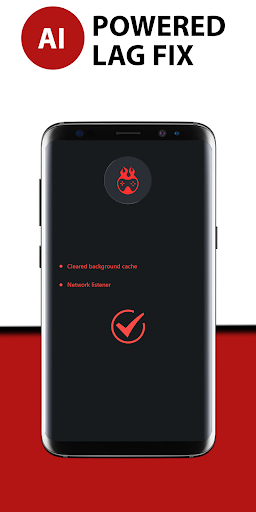
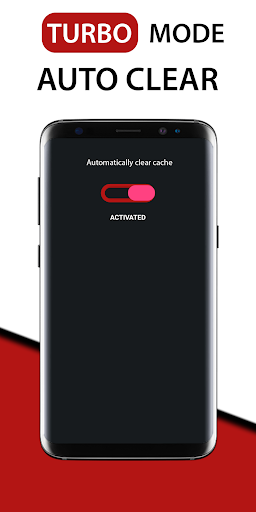
The primary purpose of Game Booster Fire GFX is to provide an app-based solution that boosts device performance during gaming sessions. The app features include quick system scans, automatically closing background apps, and optimizing graphics settings for better performance. As an Android app in the tools category, it offers custom tweaks that can help reduce lag and heat generation, prolonging your device's battery life during intense gaming. Whether you're playing on a mid-range phone or a flagship device, this launcher app helps ensure your gaming experience remains smooth and uninterrupted, giving you more control over how your device handles demanding games.
This mobile app is designed primarily for gamers and mobile enthusiasts who often play resource-intensive Android games. If you enjoy competitive gaming, multiplayer battles, or simply want to enhance your gaming experience on your Android device, this app can be a valuable tool. It's particularly useful for users who seek to maximize their device's performance without investing in expensive hardware upgrades.
Target users include teenagers and adults aged 13 and above who prefer using an app-based solution for improving game performance. Whether you're playing casual titles or high-graphics games, this app helps reduce lag, optimize system resources, and provide a smoother app experience. It's also ideal for those who frequently switch between different games and need a reliable, lightweight launcher app to streamline their gameplay.
Choosing Game Booster Fire GFX- Fix Lag means opting for a trusted app that combines multiple app features aimed at enhancing your gaming experience. Unlike generic booster apps, this mobile app offers expert-level optimization tools that improve device performance and stability during gaming sessions. Its dedicated GFX tool and real-time performance monitoring ensure users enjoy smoother gameplay and improved visuals, making it a comprehensive app-based solution for mobile gamers.
What sets this Android app apart is its focus on user experience and reliability. The app is designed by experts who understand the demands of mobile gaming, delivering concrete benefits like reduced lag, lower temperature, and more stable network performance. Its intuitive interface and effective system management allow both casual and dedicated gamers to effortlessly enhance their app experience. By integrating these features into a single platform, Game Booster Fire GFX- Fix Lag provides a trustworthy and efficient solution that elevates your mobile gaming sessions and ensures a more enjoyable, immersive time with your favorite games.
Effective lag reduction
Easy to use interface
Customizable optimization options
Fast cleaning process
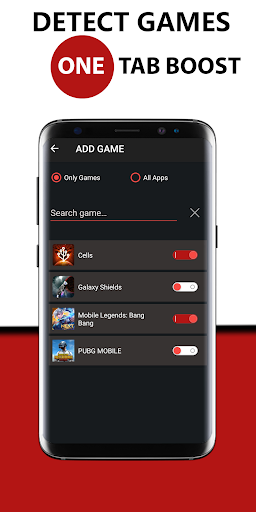
Compatibility with multiple games
Temporary CPU heating
Possible over-optimization
Limited customization in free version
Inconsistent lag improvements
Possible app stability issues

Tools
4.8

Tools
4.8

Tools
4.6

Tools
4.5

Tools
4.8

Tools
4.4

Tools
4.7

Tools
4.4

Tools
4.8

Tools
4.6

Tools
4.8

Tools
4.7

Social
4.7

Shopping
4.7

Social
4

Personalization
4

Productivity
4.9

Video Players & Editors
4.6

Social
4.3

Communication
4.7

Entertainment
4.7

Communication
4.5