Tools
0.0
5.00B
4.5
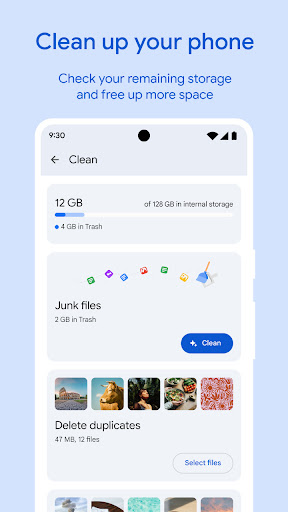
Files by Google is a popular mobile app designed to help Android users organize, clean, and manage their device storage efficiently. As a reliable tool in the tools category, this app offers a straightforward way to find and delete junk files, duplicate data, and unnecessary apps, all from a user-friendly interface. Recognized for its simplicity and effectiveness, Files by Google provides an essential solution for anyone looking to optimize their Android device without complicated procedures.
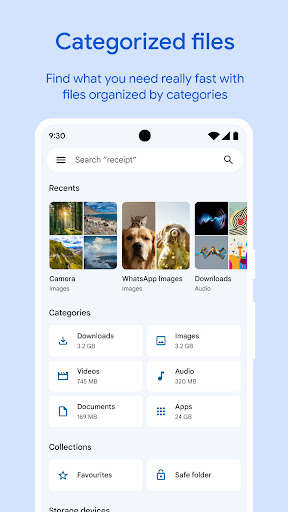
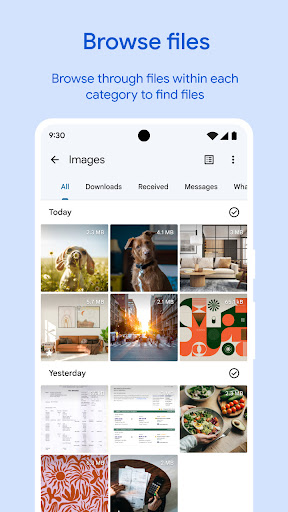
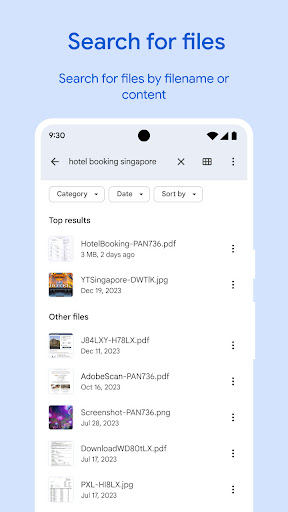
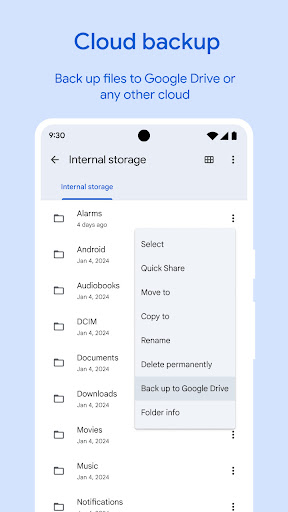
The primary purpose of Files by Google is to enhance your app experience by making file management effortless. It functions as a comprehensive app-based solution that not only clears up storage space but also helps you browse and locate files quickly. The app features include file sharing, offline file transfer, and recommendations for freeing up space. These features work together to provide a seamless and efficient way to keep your Android device running smoothly, whether you're managing personal media or important documents.
This mobile app by Google is ideal for anyone who wants to optimize their Android devices by managing storage and files efficiently. Whether you are a busy professional, a student juggling multiple documents, or someone who simply needs a reliable tool to keep their device organized, this app appeals to a broad demographic. Its lightweight design and straightforward interface make it suitable for users of all ages who may not be tech-savvy but still want effective file management.
If you're frequently dealing with large files, photos, or videos, this app provides an excellent app experience, helping you find, clean, and organize your data quickly. It is especially useful for those who prefer an app-based solution for cleaning up storage without cluttering their home screen with complicated launcher apps. Whether you need to access files on the go or perform quick space recoveries, this Android app offers practical features tailored to everyday needs and scenarios.
Choosing this app by Google means opting for a trustworthy and efficient storage management tool built by a company known for its commitment to quality and security. Unlike many other Android apps that promise similar features but fall short in user experience, Files by Google offers a clean, intuitive interface that makes file handling a breeze. This app features intelligent organization, freeing up space while protecting your privacy with secure sharing and encryption, which enhances your overall app experience.
What sets Files by Google apart from competing apps is its comprehensive suite of app features focused on simplicity and reliability. It removes the need for additional launcher apps or complicated setups, providing a straightforward app-based solution that meets the needs of everyday users. Whether you're looking to free up space, access files offline, or organize your media, this mobile app streamlines all those tasks and more. Its proven performance and regular updates ensure you receive a consistent, trustworthy experience for managing your Android device efficiently.
User-friendly interface
Effective storage cleaning tool
Built-in file sharing function
Media file management
Integration with Google services
Limited support for cloud storage
Automatic cleaning can sometimes delete important files
Search function accuracy varies
Limited customization in file sorting
Occasional app lag on older devices
Tools
4.5

Tools
4.8

Tools
4.6

Tools
4.7

Tools
4.8

Tools
4.5

Tools
4.6

Tools
4.4

Tools
4.4

Tools
4.6

Tools
4.4

Tools
4.4

Social
4

Shopping
4.5

Social
4

Personalization
3.9

Productivity
4.8

Video Players & Editors
3.4

Social
4.3

Communication
4.7

Entertainment
3.9

Communication
4.2