Personalisation
0.0
1.00M
3.4
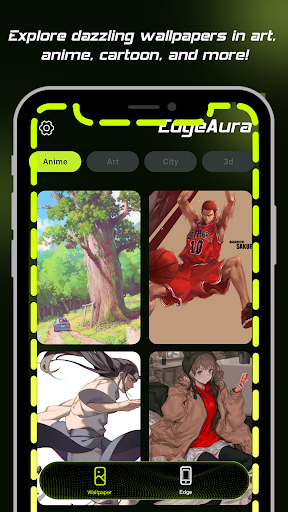
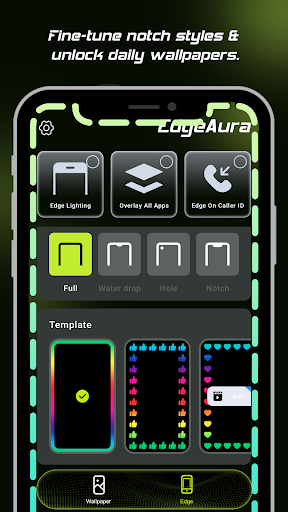
EdgeAura is a unique mobile app designed to customize your smartphone's appearance, turning plain screens into stunning visual experiences. Available on Android, this app falls within the personalization category, offering users a wide array of wallpapers, themes, and visual effects that can completely change the look of your device. It's user-friendly and crafted for those who love to make their phones reflect their personality and style. Whether you're seeking calming backgrounds or vibrant designs, EdgeAura makes it easy to find and apply the perfect visuals.
This mobile app is ideal for Android users who love to customize their devices and make their screens stand out. Whether you're a teenager wanting vibrant visuals or an adult seeking a subtle aesthetic, EdgeAura caters to a wide age range. If you enjoy personalizing your phone with unique wallpapers and effects, this app-based solution provides an easy and fun way to do so.
It's especially suited for those who spend a lot of time on their phones and want a more engaging app experience. Creative individuals, social media enthusiasts, or anyone looking to refresh their device's look will find EdgeAura valuable. With its intuitive features, users can transform their Android device into a reflection of their personality or mood, making it a perfect choice for custom launcher app fans seeking a tailored personalization experience.
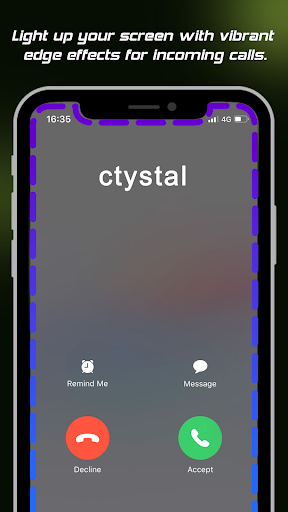
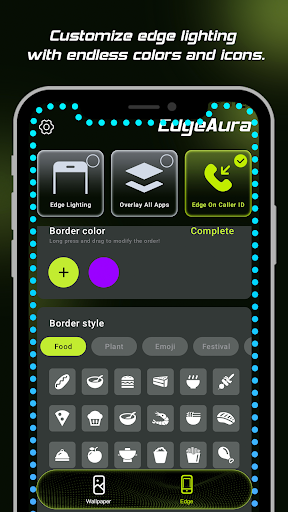
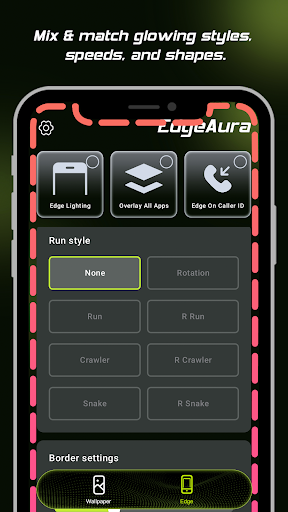
EdgeAura stands out among other launcher apps through its focus on vibrant, interactive app features that enhance your device's visual impact. Unlike basic wallpaper apps, it offers dynamic effects and real-time animations that respond to your interactions, providing a more immersive app experience. The app's user-friendly design makes it accessible even to newcomers, while its robust customization options satisfy advanced users looking for precise control.
What makes EdgeAura a compelling choice is its ability to blend aesthetic appeal with performance efficiency. It provides a smooth, ad-free experience that won't slow down your device. The app's versatility supports a wide range of Android devices and launcher configurations, giving you a flexible app-based solution for personalization. Overall, EdgeAura creates a personalized, eye-catching interface that truly reflects your style, setting it apart in the crowded space of personalization apps.
Enhanced privacy protection
Lightweight and fast performance
User-friendly interface
Regular updates and feature improvements
Compatibility with multiple platforms
Limited free features
Occasional false positives in tracker blocking
Battery consumption could be optimized further
Limited customization options for advanced users
Initial setup might be confusing for novices

Personalisation
4.5

Personalisation
4.6

Personalisation
4.6

Personalisation
4.7

Personalisation
4.3

Personalisation
4.5

Personalisation
4.3

Personalisation
4.8

Personalisation
4.4

Personalisation
4.6

Personalisation
4.7

Personalisation
4.7

Social
4

Shopping
4.5

Social
4

Personalization
3.9

Productivity
4.8

Video Players & Editors
3.5

Social
4.3

Communication
4.7

Entertainment
3.9

Communication
4.2