Menu
Chase Mobile

Chase Mobile

4.8
Advertisement

Information

Category:

Finance

Price:

0.0

Downloads:

0.05B

Rating:

4.8

Advertisement

Overview

About Chase Mobile

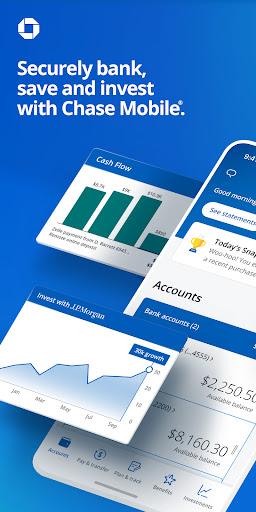
Chase Mobile is the official banking app from JPMorgan Chase, one of the largest financial institutions in the United States. This mobile app serves as a comprehensive digital hub for managing your personal and business finances directly from your smartphone. Instead of visiting a branch or logging into a desktop website, you can handle everyday banking tasks right from your pocket. Whether you are checking your balance on the go or depositing a check while at home, this Android app is designed to bring the bank to you with a secure and straightforward interface.

Core Features

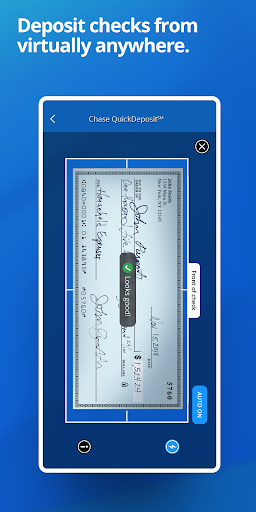
  • Bank on the go with ease - Deposit checks in minutes using the mobile app's built-in camera. Just snap a photo of the front and back of your endorsed check, confirm the amount, and you're done. No need to visit a branch or ATM.
  • Keep your account securely in your pocket - The Android app uses fingerprint and face recognition sign-in options on compatible devices. That means you can skip the password hassle and get into your account quickly while keeping your info safe.
  • Stay ahead with real-time alerts - The app features customizable notifications that let you know about low balances, large transactions, or suspicious activity. These instant updates give you peace of mind and help you spot problems before they turn into bigger issues.
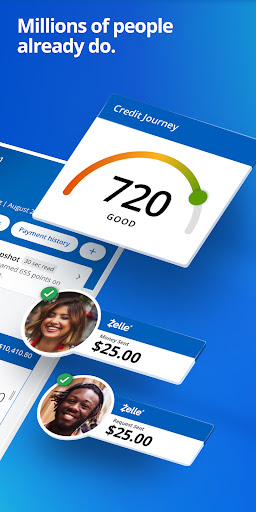
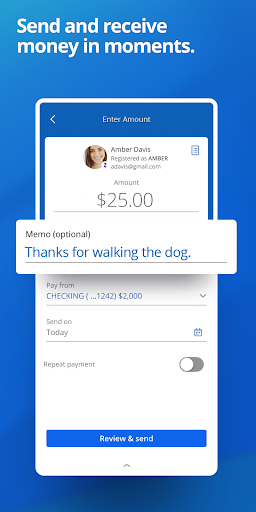
  • Send and receive money instantly - Zelle is built right into the app features, allowing you to send cash to friends and family using just their email address or phone number. Whether you're splitting a dinner bill or paying the babysitter, transfers are fast and simple.
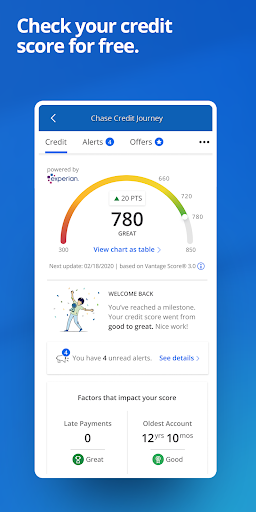
  • See your FICO score for free - The Chase Mobile app experience includes free access to your credit score, updated weekly. You can also see what factors influence your score, which gives you a clearer picture of your overall financial health.
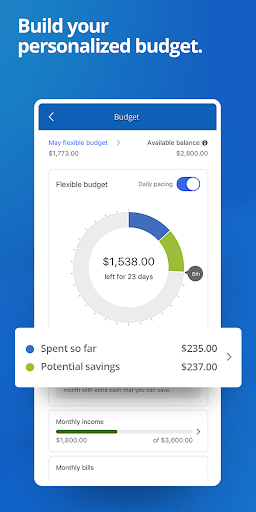
  • Track your spending without lifting a finger - The app automatically sorts your purchases into categories like groceries, dining, and utilities. With just a few taps, you can see exactly where your money goes each month and spot opportunities to save.
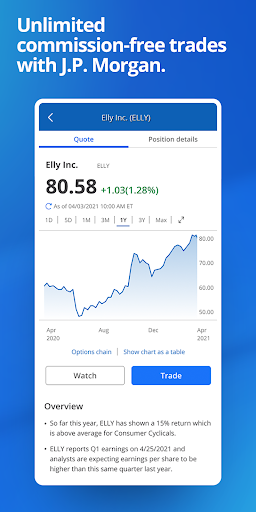
  • Invest on the same platform - You can manage your retirement accounts, check your portfolio performance, and even make trades without switching to a different app. Having your banking and investing in one place keeps things organized and saves you time.
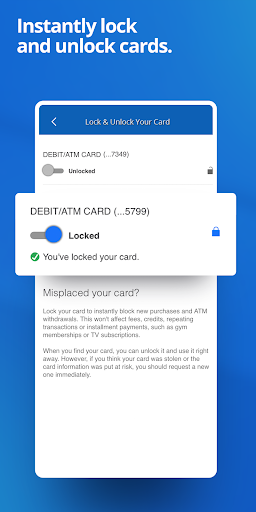
  • Lock and unlock your cards instantly - Misplaced your credit card? The app-based solution lets you freeze your card right from your phone. Once you find it, you can unlock it just as easily, without waiting for customer service.

Who This App Is For

Chase Mobile is built for anyone who values convenience and wants to handle their money without being tied to a physical branch. It works well for students and young professionals who are managing their first checking accounts, busy parents juggling household budgets, and small business owners who need to keep a close eye on cash flow. If you already have a Chase account, this is the app you'll likely use every day. The mobile app appeals to people who are comfortable doing things on their phones and prefer quick, self-service options over phone calls or in-person visits. Even those who aren't tech-savvy will find the layout simple enough to navigate, thanks to clear menus and straightforward prompts that make banking feel less intimidating.

Consider the scenarios where this app saves your day. You're at the grocery store checkout and no one has time to waste, so you pay with your phone and get a notification the moment the payment goes through. Or maybe you're traveling and need to move money between accounts at 11 PM - with Chase Mobile, that's just a few taps away. It also handles those awkward money moments with friends, like paying someone back for concert tickets or splitting a utility bill using Zelle. The app experience is particularly helpful when you're trying to manage multiple goals, like saving for a trip or paying down a credit card. You can check your balance before making any purchase, transfer funds between accounts, and even set up automatic savings. For retirees keeping an eye on investments or families planning for tuition payments, having everything available in one place makes the day-to-day money management feel less stressful and more under control.

Why Choose This App

Chase Mobile stands out because it brings your entire financial life into one clean, functional space. Most apps only let you check a balance or see a transaction history, but this one goes much further. You can pay bills, deposit checks, send money through Zelle, monitor your credit score, and manage investments - all without needing to log into separate websites or apps. The app features are designed with speed in mind, so common tasks like transferring funds or finding a past transaction take just a few seconds. On top of that, the security measures feel robust without being annoying. Signing in with biometrics is quick, and the app's alerts provide a layer of protection that helps you spot unauthorized activity early. For people who want clear visibility into their finances, the spending breakdown is genuinely eye-opening and helps you build better habits.

What really sets Chase Mobile apart from other banking apps is the level of integration it offers. If you're already a Chase customer, there's no data syncing, no juggling multiple tools, and no waiting for information to update. Everything is tied to the same account, which makes the Android app experience feel seamless and dependable. The interface is also refreshingly free of clutter - you won't waste time digging through menus to find what you need. When you think about the alternative, which involves separate apps for checking, credit cards, and investing, Chase Mobile is a genuinely efficient app-based solution. It handles the everyday tasks quickly, and when you need help, the in-app customer service chat connects you to a real person without long hold times. That combination of comprehensive features and user-friendly design makes it a practical choice for anyone who wants banking to feel effortless and straightforward.

pros

Effortless mobile check deposit

Real-time transaction alerts

Integrated bill pay and transfers

Strong security features

Zelle integration for fast peer-to-peer payments

Cons

Occasional app lag on older devices

Limited budgeting tools

Account aggregation issues with third-party banks

No native customer service chat in all regions

Inconsistent fingerprint prompt after updates

Advertisement

Frequently Asked Questions

How do I get started with the Chase Mobile app if I already have a Chase account?

Download the app from your device's app store, then tap 'Sign In' and enter your Chase online banking username and password. If you haven't enrolled yet, choose 'Enroll now' and have your account or card number ready. You'll verify your identity and set up biometric login for faster access. Settings > Profile & Settings > Sign-In Methods.

Can I deposit a check using the Chase Mobile app, and what are the limits?

Yes, tap 'Deposit' on the home screen, then photograph the front and back of your endorsed check. Choose the deposit account and enter the amount. Funds are typically available by the next business day, and daily limits vary by account history and device. Check your limit in Settings > Deposit Limits before starting.

How do I send money to a friend using Zelle through the Chase app?

Tap 'Pay & Transfer' at the bottom menu, then select 'Zelle.' Enter the recipient's email or U.S. mobile number, the amount, and a note if you like. Confirm the details and hit 'Send.' Your friend gets a notification to enroll and collect the funds. Settings > Pay & Transfer > Manage Zelle.

Where can I find my free credit score and identity monitoring inside the Chase app?

Scroll to the bottom of the home screen and tap 'Credit Journey' under the 'Explore' section. You'll see your current VantageScore 3.0 credit score, a history chart, and identity monitoring alerts. You can also set goals and check for suspicious activity. Settings > Credit Journey > Manage Alerts.

How can I set up a monthly budget and track my spending in the Chase Mobile app?

Tap 'Budget' on the home screen or find it under 'Plan & Track' in the bottom menu. Set spending limits by category, and the app will automatically categorize your debit and credit transactions. You'll see daily insights and progress bars. To adjust, go to Settings > Budgeting > Categories.

What steps do I take to lock or unlock my Chase debit or credit card in the app?

Open the app and select the card you want to manage from your account list. Tap 'Card Lock' or 'Lock/Unlock Card' and confirm your choice. This instantly prevents new purchases, cash advances, and balance transfers while leaving recurring payments unaffected. Settings > Card Services > Lock Card.

Are there any fees for trading stocks or ETFs through the J.P. Morgan Wealth Management section in the app?

No, you get $0 online commissions for U.S.-listed stocks, ETFs, and options. Options trades incur a $0.65 per-contract fee. You can access trading by tapping 'Invest' in the bottom menu and then 'Trade.' There are no account service fees for standard retail brokerage accounts. Settings > Invest > Pricing Details.

How do I redeem Chase Offers or find personalized deals in the mobile app?

Tap 'Chase Offers' on the home screen or under 'Explore.' Scroll through the available deals and select 'Add to Card' to save them to your eligible credit or debit card. Once you make a qualifying purchase, the statement credit arrives within a few days. Settings > Rewards & Offers > Manage Chase Offers.

Will I get charged a monthly fee for using the Chase Mobile app or its basic features?

No, downloading and using the Chase Mobile app is completely free, including mobile check deposit, budgeting tools, and credit monitoring. Some investment or account services may have applicable fees, but they are clearly disclosed before you enroll. No subscription is required for standard banking. Settings > Account Services > Fees & Disclosures.

What should I do if the Chase app keeps crashing or showing a login error?

First, force-close the app and restart your phone, then update the app to the latest version. If the issue persists, check your internet connection and try using Wi-Fi instead of cellular. Clear the app cache in your device settings, or uninstall and reinstall. Contact Chase support at 1-800-935-9935 if needed. Settings > App > Clear Cache.
Show more