
Auto & Vehicles
0.0
0.50M
4.1
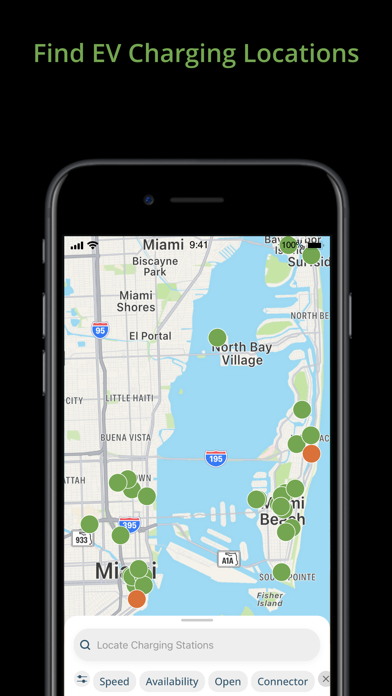
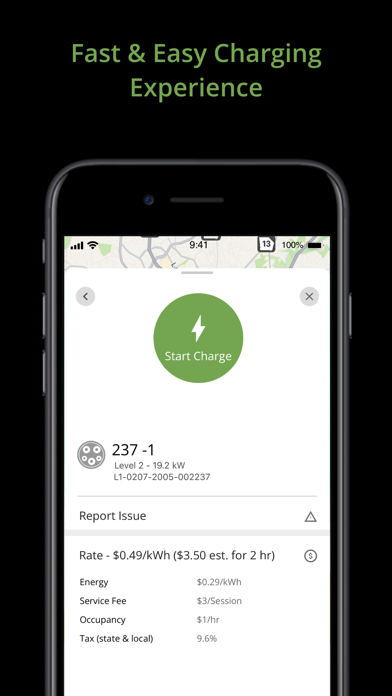
The Blink Charging Mobile App is a user-friendly solution designed to help electric vehicle owners manage their charging sessions effortlessly. As a dedicated app in the auto and vehicles category, it provides a seamless way to locate charging stations, start and stop charging, and monitor the status of your EV charging process right from your smartphone. Whether you're an EV enthusiast or a regular user, the Blink Charging Mobile App aims to simplify your charging experience by providing a convenient digital interface that keeps you connected on the go.
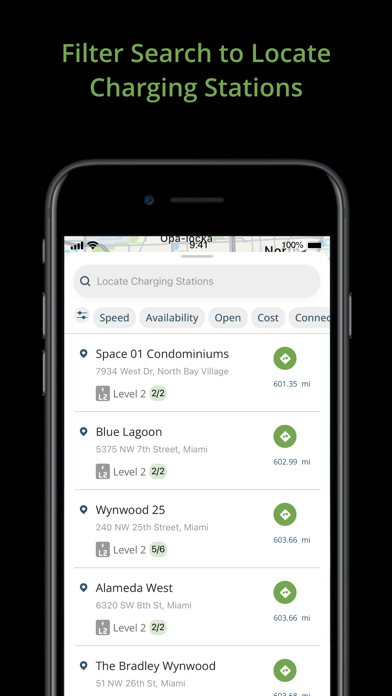
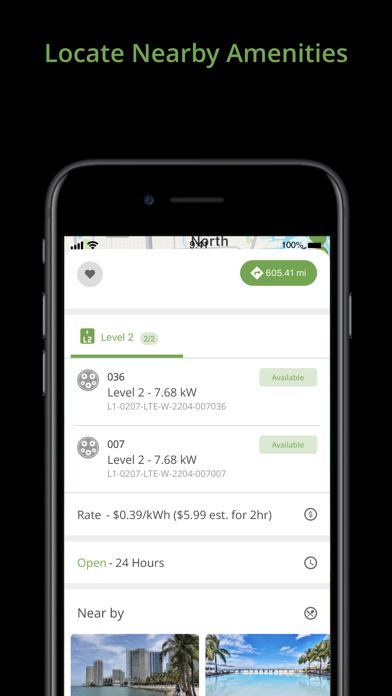
This mobile app is especially useful for those seeking an app-based solution to streamline their EV charging routines. Built for both Android and Apple devices, the Blink Charging Mobile App offers a range of features including real-time station availability, detailed charging station information, and account management. Its intuitive interface enhances the overall app experience and makes managing multiple charging sessions straightforward. Whether you're at home or on the road, this app helps ensure your EV charging needs are handled efficiently and reliably, reinforcing its reason for being an essential tool for electric vehicle owners.
This mobile app is designed for electric vehicle owners who seek a reliable and user-friendly way to manage their charging needs. Whether you own a compact EV or a large electric SUV, if you're someone who values quick access to charging stations and detailed information, this app serves your needs well. The app experience is tailored for drivers of all ages who prefer a straightforward, efficient, and trustworthy solution for staying charged while traveling or commuting in urban and rural areas.
Particularly, those who often find themselves on extended road trips or regularly commute in regions with numerous charging options will benefit from the app's real-time updates and reservation features. Tech-savvy users who appreciate an app-based solution that consolidates all charging-related activities into one platform will find this app especially helpful. It also suits busy professionals or families who need to plan their journeys around charging station availability, offering peace of mind by providing up-to-date station info and seamless transaction capabilities.
The Blink Charging Mobile App stands out as a trusted app-based solution for EV owners by combining comprehensive app features with a focus on user experience. Its reliable real-time data ensures you can confidently find available charging stations without unnecessary delays, making your app experience smoother and more dependable. The app's intuitive interface and smart reservation system cater to both tech-savvy drivers and those new to electric vehicles, making EV charging straightforward regardless of your familiarity with the technology.
What truly sets this Android app apart from other options is its emphasis on security, convenience, and detailed station information. By integrating various app features like payments, history logging, and notifications into one seamless platform, Blink Charging delivers a comprehensive experience that addresses common EV charging challenges. Its reputation for accuracy and user-centric design makes it a preferred choice among drivers seeking a trusted app-based solution for managing their electric vehicle charging needs efficiently and confidently.
User-Friendly Interface
Real-Time Charging Station Availability
Seamless Payment Integration
Remote Monitoring and Control
Maintenance Notifications
Limited Charger Locations
Occasional App Connectivity Issues
Incomplete Station Details
Battery Management Features Missing
Notification Customization Limited

Auto & Vehicles
4.6

Auto & Vehicles
3.9

Auto & Vehicles
4.2

Auto & Vehicles
4.6
Auto & Vehicles
4.4

Auto & Vehicles
4.5

Auto & Vehicles
4.7

Auto & Vehicles
4.5
Auto & Vehicles
4.3
Auto & Vehicles
4.6
Auto & Vehicles
4.7
Auto & Vehicles
4.8

Social
4.7

Shopping
4.7

Social
4

Personalization
3.9

Productivity
4.9

Video Players & Editors
4.6

Social
4.3

Communication
4.7

Entertainment
4.7

Communication
4.5