Menu
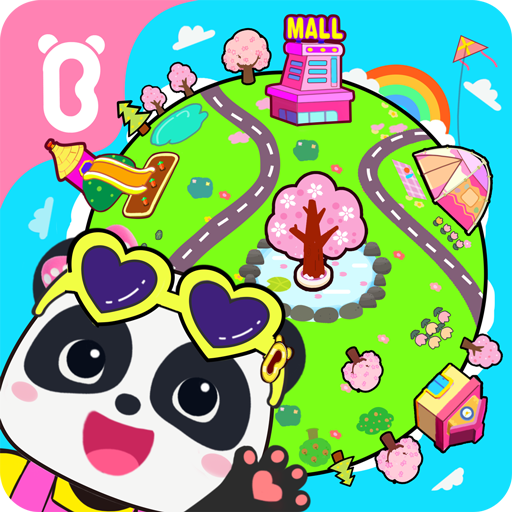
Baby Panda's Town: My World

Baby Panda's Town: My World

4.4
Advertisement

Information

Category:

Educational

Price:

0.0

Downloads:

0.10B

Rating:

4.4

Advertisement

Overview

About Baby Panda's Town: My World

Baby Panda's Town: My World is an engaging and educational mobile app crafted for young children who are eager to explore and learn about the world around them. Designed with parental guidance in mind, the app provides a safe virtual space where kids can discover various everyday scenarios, from visiting the market to going to school. Its bright visuals and friendly characters make the experience enjoyable and inviting, fostering early curiosity in children while giving parents peace of mind.

Core Features

  • The app features an intuitive interface designed specifically for young children, making navigation easy and enjoyable for little users learning to explore. Its colorful graphics and simple controls foster engagement and learning.
  • With a wide range of educational activities, this mobile app includes interactive games, puzzles, and storybooks that help develop cognitive skills while keeping children entertained. The app ensures fun with meaningful educational content.
  • One of the app's key features is offline mode capability, allowing children to enjoy educational content without needing an internet connection. This makes it a reliable launcher app suitable for usage anytime and anywhere.
  • The app provides parents with progress tracking tools that monitor their child's activity and skill development. These app features support parents in guiding their child's learning journey effectively.
  • Designed with safety in mind, this app includes child-proof browsing and no ads, creating a trusted app experience for parents who want a secure environment for their kids to learn and play.
  • The app offers customizable profiles, allowing children to have a personalized experience and access age-appropriate educational content tailored to their learning pace.

Who This App Is For

This educational app is ideal for parents, caregivers, and teachers who want to introduce young children to a safe and engaging digital learning environment. It's particularly suitable for children aged 2 to 6 years who are just beginning to explore educational content through a mobile app. If you're looking for an app-based solution that combines fun and learning, this app is tailored to meet those needs effectively.

Whether you're at home, in the car, or in a waiting room, children can enjoy a variety of educational activities that promote early development skills. This Android app is perfect for fostering independent learning while providing peace of mind for parents concerned about safe app experiences. Its user-friendly design makes it easy for both children and adults to navigate and utilize daily, making it a valuable addition to any family's digital tools.

Why Choose This App

Choosing Baby Panda's Town: My World offers a blend of engaging content and reliable app features designed to make early education accessible and fun. Unlike other apps that may bombard children with ads or require constant internet access, this app provides a safe, offline app experience with a focus on educational value. Its well-crafted app features include interactive games, story activities, and progress tracking, all crafted by experts to support your child's developmental needs.

This app not only emphasizes entertainment but also prioritizes trustworthiness and educational effectiveness. As an Android app, it integrates seamlessly with your device, delivering smooth performance and an intuitive app experience. Its comprehensive approach makes it stand out among various launcher apps and child-centric educational tools. If you seek a trusted app-based solution that combines safety, engaging app features, and educational growth, Baby Panda's Town: My World is a practical choice for supporting your child's early learning journey.

pros

Engaging and colorful graphics

Supports imaginative play

User-friendly interface

Educational elements integrated

Variety of mini-games and activities

Cons

Limited content updates

Some mini-games can be too simple

Lack of parental controls

Advertisements occasionally appear

Voice instructions are only in Chinese
Advertisement

Frequently Asked Questions

How do I start playing Baby Panda's Town: My World for the first time?

Download and install the app, open it, and follow the on-screen tutorial to explore the open world and discover key features.

Is there a way to customize my child's avatar and characters?

Yes, tap the character customization icon to change skin color, hairstyles, outfits, and expressions through the character creation menu.

How can my child explore different scenes and locations within the game?

Simply tap on various scene icons like school, farm, or mall from the main map to freely explore and discover hidden surprises.

What features help my child build and decorate their virtual home?

Use the decorating feature in your house to select furniture, wallpapers, and items from the inventory to personalize your space.

Can my child play offline, without internet connection?

Yes, the game supports offline mode. Just open the app while offline to enjoy exploration and mini-games without internet.

How does the game promote creativity and storytelling skills?

Children can create stories, plan parties, role-play, and decorate environments, fostering their imagination and narrative abilities.

Are there in-app purchases or subscription options available?

Yes, you can purchase costume packs and accessories via the store. Check Settings > Account > Subscriptions for available plans.

What is the best way to manage or stop subscriptions for the app?

Go to your device's app store account settings, select Subscriptions, find Baby Panda's Town, and cancel or modify your subscription there.

What should I do if the app crashes or freezes during gameplay?

Try restarting your device, ensure your app is updated to the latest version, or reinstall the app if problems persist.

Is there parental control or content filtering available within the app?

Yes, you can access parental control settings via the app's menu to customize content access and manage your child's interactions.
Show more